
Highspot Migration Checklist for Revenue Enablement Teams
Oct 22, 2026
It's the Friday before your Highspot renewal. You open the library to work out what actually has to move, and you find 4,000 assets, three versions of the same battle card, and a folder called "Misc FINAL v2" that nobody will claim. (We've all met that folder.) The decision to leave was the easy part. Getting your content, permissions, and sellers across without a mess is the real project.
This Highspot migration checklist breaks that project into seven steps, from naming an owner to rolling out to your whole sales team. It is written for revenue enablement and ops leads who have already decided to move, or are close enough to need a plan before the next contract conversation.
Before you migrate: confirm the move is the right call
You should switch from Highspot when your renewal is within two quarters, adoption has stayed well below what you pay for, or the platform can't support the AI-assisted workflows your team now needs. Any one of those is a reason to start planning. All three together is a reason to start this week.
Frames the trigger points the same way, which tells you this is how most teams actually reach the decision. Pricing pressure alone rarely does it. It's usually the combination of a renewal date and a quiet admin dashboard.
If none of the triggers apply, fix adoption inside Highspot first. A migration moves your problems along with your files, and a messy library does not get tidier on a new platform. If you are still comparing options, our roundup of the top sales enablement software is a fair place to shortlist.
The Highspot migration checklist: 7 steps
A Highspot migration follows seven steps, and most failures happen in the first two:
- Name an owner, a sponsor, and a cutoff date
- Audit content and retire what nobody opens
- Map taxonomy, tags, and folder structure
- Rebuild permissions and governance
- Reconnect your CRM, SSO, and content sources
- Decide which analytics history to keep
- Pilot with one team, then train and roll out
Each step below has a clear finish line, so you know when to move on.
Step 1: Set the owner, sponsor, and cutoff date
Every stalled migration we have seen has the same origin: everyone assumed someone else was driving. Name one migration owner (usually enablement or RevOps) and one executive sponsor who can settle disputes about what stays and what goes. Then pull your Highspot contract and write down the renewal date and the notice period. That date is your real deadline, and it is the one people forget until it is too close.
Agree on three or four success metrics before you touch any content. Seller adoption in the first 30 days, time to find a piece of content, and share of live assets with a named owner are good starting points. You will need the "before" numbers later, so capture them now.
Step 2: Audit your content before you move anything
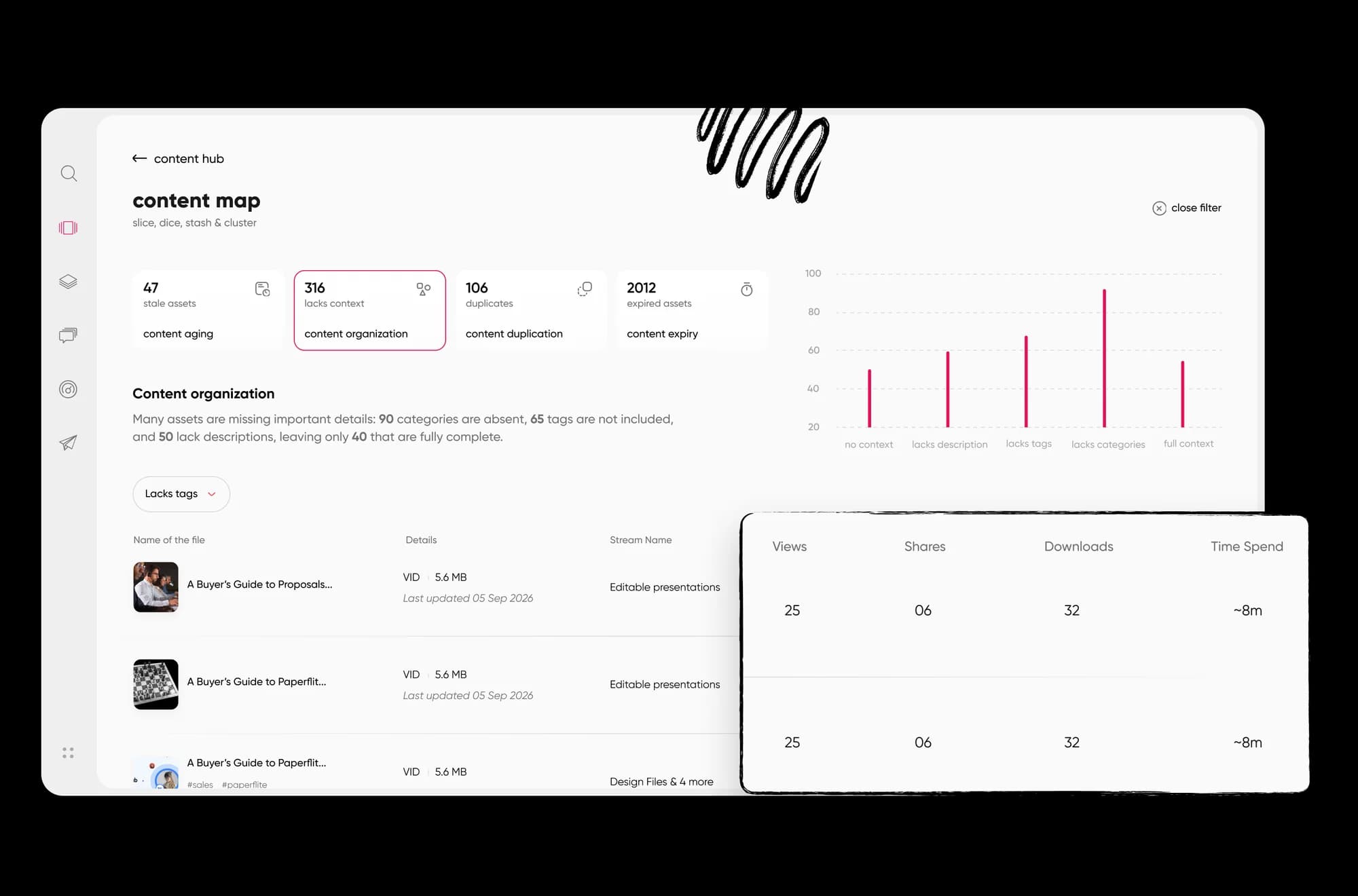
Moving everything is the most expensive way to migrate. Export a list of your assets with views, shares, last updated date, and owner. Then sort every asset into one of three buckets: keep as is, rewrite, or retire. Assets with no views in the last year and no owner usually belong in the third bucket.
The audit is also where you find out how much of your library is real. Teams that run this honestly often discover the live, used content is a fraction of what they feared having to migrate. A step-by-step approach is in our sales content management guide.
Step 3: Map taxonomy, tags, and folder structure
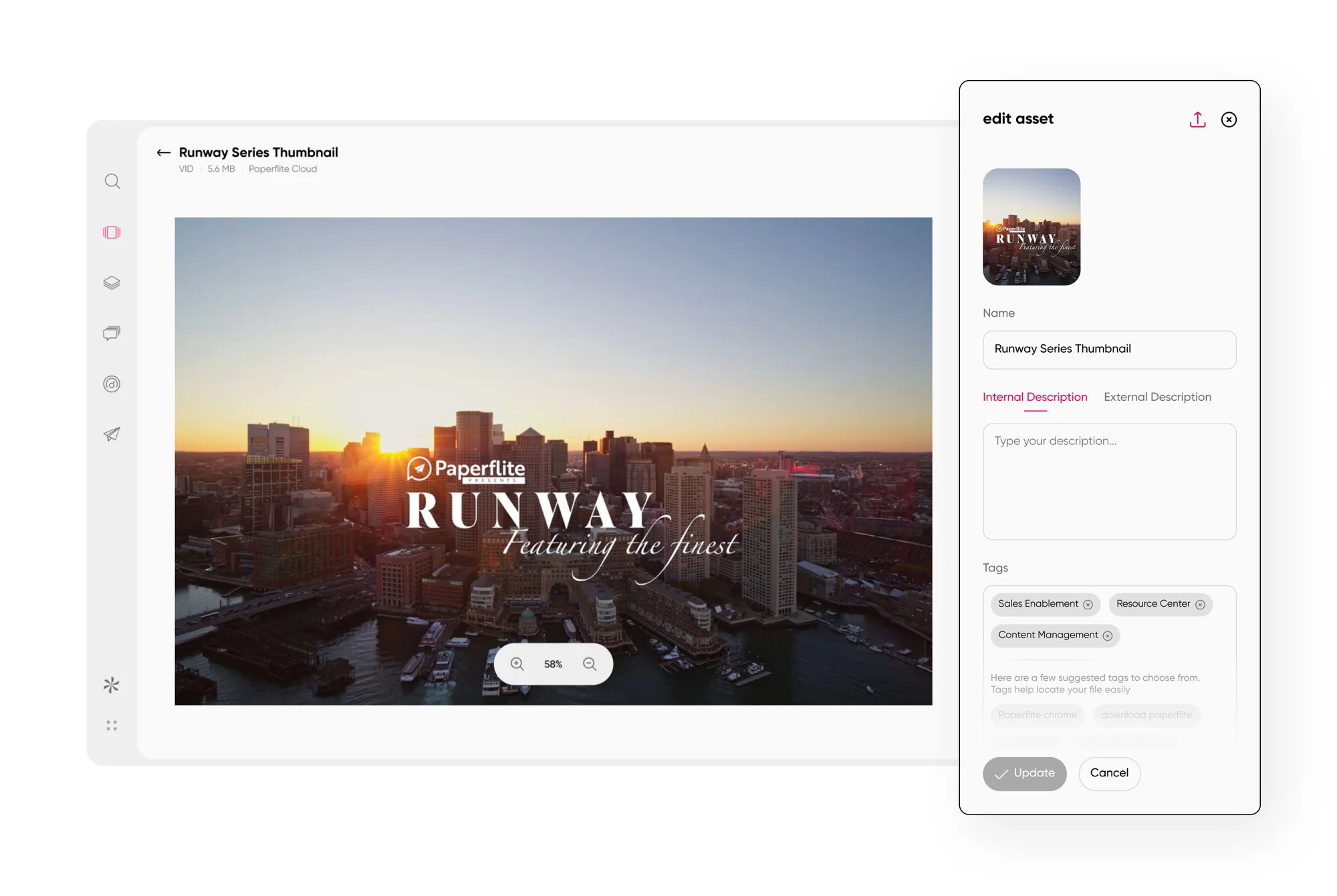
Highspot organizes content into spots and pages, and most teams have layered years of their own habits on top. Your new platform will not mirror that structure, and it shouldn't. Decide the target structure first: top-level categories, how you tag by persona and buyer stage, and which naming conventions survive.
Build a simple mapping sheet with one row per old location and one column for where it lands. Clean tags while you are in there, because migrating forty near-duplicate tags just gives you forty near-duplicate filters on the other side. Seller search depends on this step more than any other, so give it real time.
Step 4: Rebuild permissions and governance
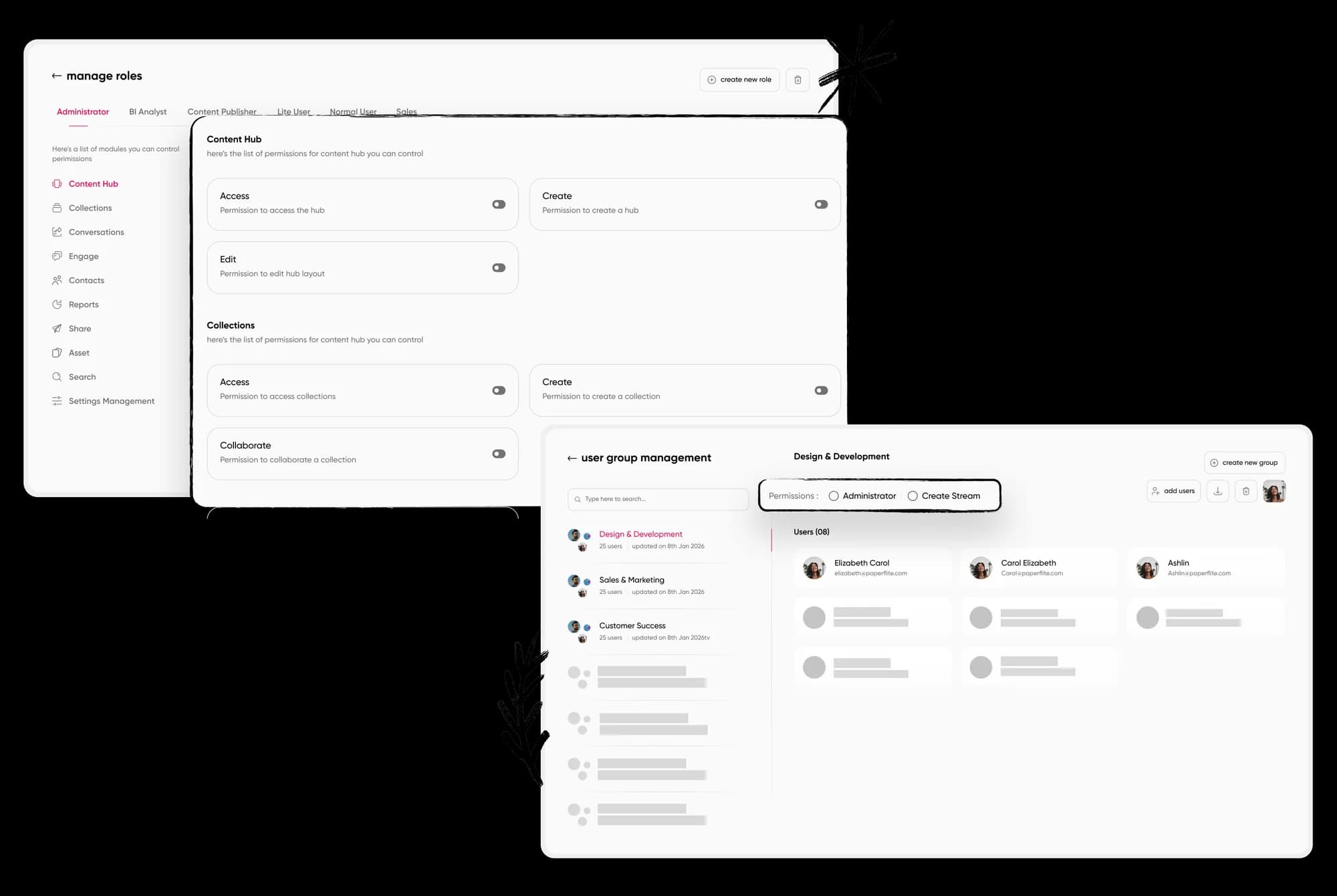
Permissions are the part nobody sees until something goes wrong, like a rep in the wrong region opening a pricing deck meant for a different market. Export your current user groups and roles, then decide what to keep. A migration is one of the few moments when you can simplify access rules without anyone complaining.
Define who can publish, who can edit, and who can only view. Assign a named owner to every content category so that updates have somewhere to go. If you skip this and plan to "sort it out after launch," you will spend your first month fielding access requests.
Step 5: Reconnect your stack (CRM, SSO, content sources)
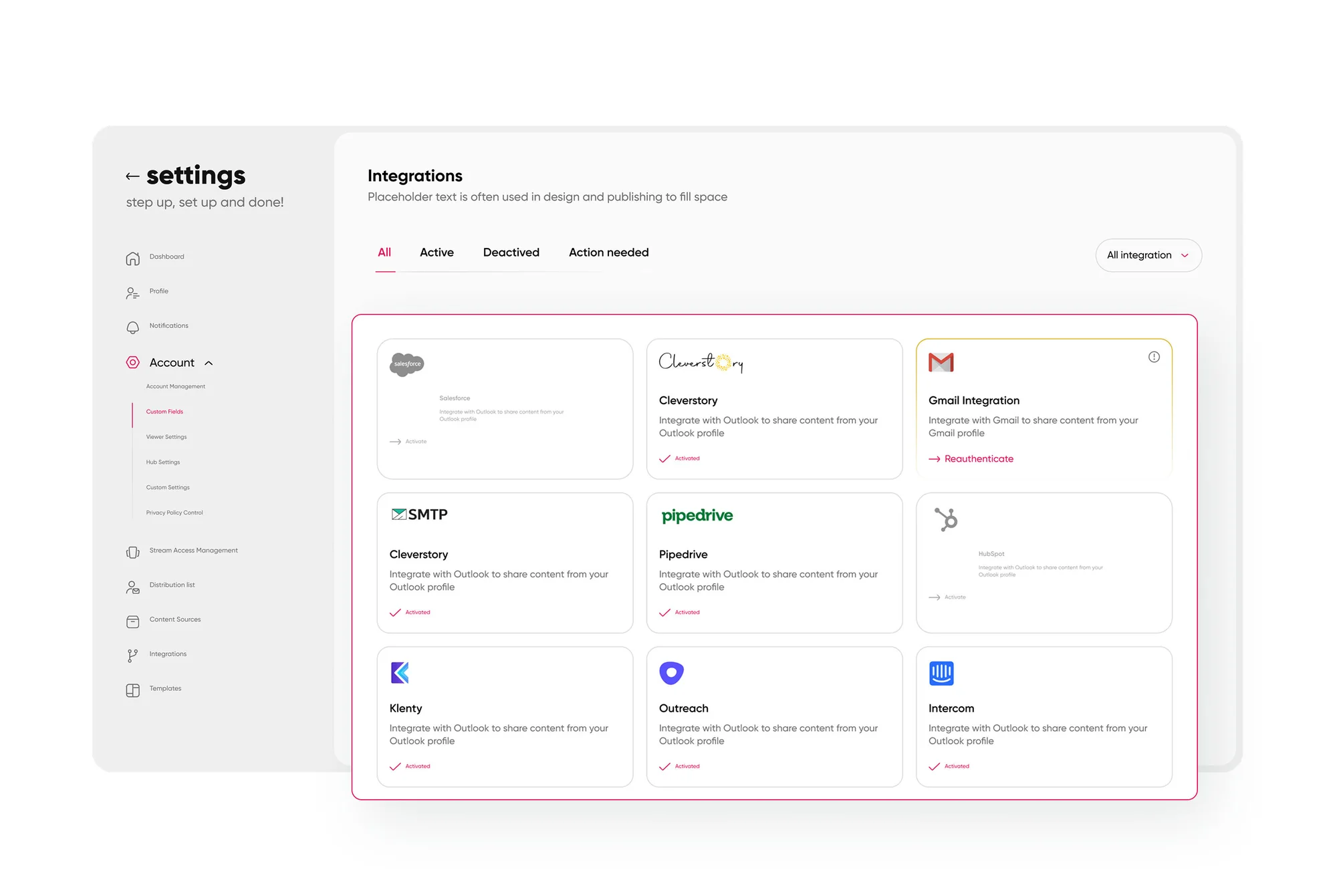
Your enablement platform lives inside your sellers' day, which means it has to talk to your CRM, your single sign-on, and wherever your source files live (SharePoint, Box, Google Drive). List every integration your team uses today, including the ones someone set up three years ago and forgot about. Then confirm each one has an equivalent on the new side.
Test with real records, not just a green "connected" badge. Create a test deal in your CRM, share content from it, and check that the activity lands where your reps and managers expect it. This is also a good moment to confirm that single sign-on works for every seller group before you invite them.
Step 6: Decide what analytics history to keep
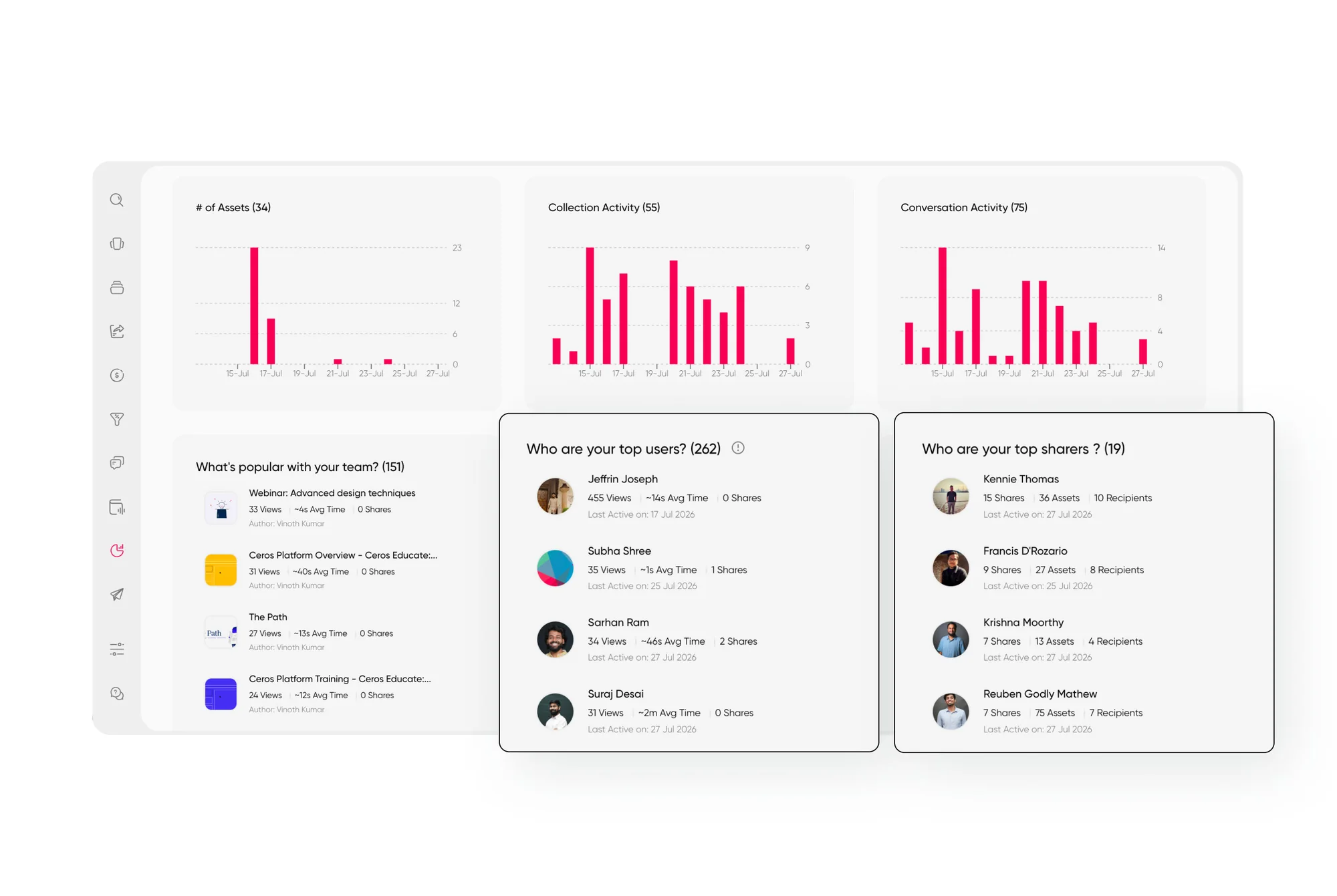
Engagement history is the data teams most often lose by accident. Decide up front what you want to carry over and what you are happy to leave behind. Most teams keep summary-level numbers (top content, adoption trends, team engagement) and start fresh at the asset level, because old view counts rarely map cleanly to new asset records. Check what your Highspot plan allows you to export before you promise anything to leadership.
Whatever you decide, write down a baseline before cutover. Without a before-and-after comparison, you can't show that the migration improved anything, and your sponsor will ask.
Step 7: Pilot, train, and roll out
Start with one team, ideally one that is vocal and has a manager who cares. Run the pilot long enough for people to hit real situations: finding a deck before a call, sharing a collection, looking for a case study at the last minute. Fix what breaks, then widen the group.
Train sellers on the five or six moves they make every day, not on every feature. Rebuild the shortcuts they relied on in Highspot, especially saved searches and the content they pin or bookmark. Pick a few champions in each team, and give managers a view of who is engaging so they can coach rather than chase.

How long does a Highspot migration take?
A Highspot migration usually takes a few weeks to a few months, depending on library size, number of integrations, and how much analytics history you keep. The audit and taxonomy work takes the most time, and the technical move takes the least.
Vendor claims run optimistic. Spekit's kit promises go-live in roughly four to six weeks with its content services team, and cites a customer, InMoment, that went fully live in 39 days. Treat those as vendor claims, not benchmarks, but they show what a well-run project with outside help can look like. Your own estimate should come from your audit, so ask any new vendor to scope the work against your actual library.
The project runs in four phases. Audit and plan covers steps 1 and 2, is owned by your enablement lead, and ends when the keep, rewrite, and retire lists are signed off. Build and connect covers steps 3, 4, and 5, belongs to enablement and RevOps together, and ends when structure, roles, and integrations have been tested with real records.
Pilot covers steps 6 and 7 and is owned by enablement with one sales manager, finishing when the pilot team can find and share content without help. Roll out also falls under step 7, sits with enablement and sales leadership, and ends when every team has been invited and your baseline metrics have been compared.
Common Highspot migration mistakes
Most migration problems trace back to a short list of avoidable choices. The first is moving everything instead of auditing first. A bloated library on the new platform feels just as frustrating as the old one, and sellers will blame the tool again within a quarter.
The second is leaving permissions for after launch. Access gaps show up on day one, usually when a senior rep can't open a deck before a call, and your first impression with sellers becomes an IT ticket. The third is skipping the baseline, which leaves you unable to prove the move worked when leadership asks.
The fourth is training sellers after cutover instead of before. By the time the session is on the calendar, people have already built workarounds in email and shared drives, and getting them back takes far more effort than preventing the drift. Schedule training in the week before each team goes live, and keep the old system read-only for a short overlap so nobody is stranded.
What to ask any new vendor before you sign
Your best leverage is before the contract is signed. Ask the vendor to scope your migration against your real library, not an average customer, and to put a timeline in writing. Ask who does the work: your team, their team, or a partner, and what that costs. Vague answers here usually become surprise invoices later.
Ask what the platform can import and what has to be rebuilt by hand, especially permissions, tags, and links to content that sellers have already shared with buyers. Ask how you can export your own data if you leave, because you are about to learn exactly how much that matters. Finally, ask for a reference customer who migrated from a similar platform and is willing to talk about the rough parts as well as the good ones.
How Paperflite fits a Highspot migration
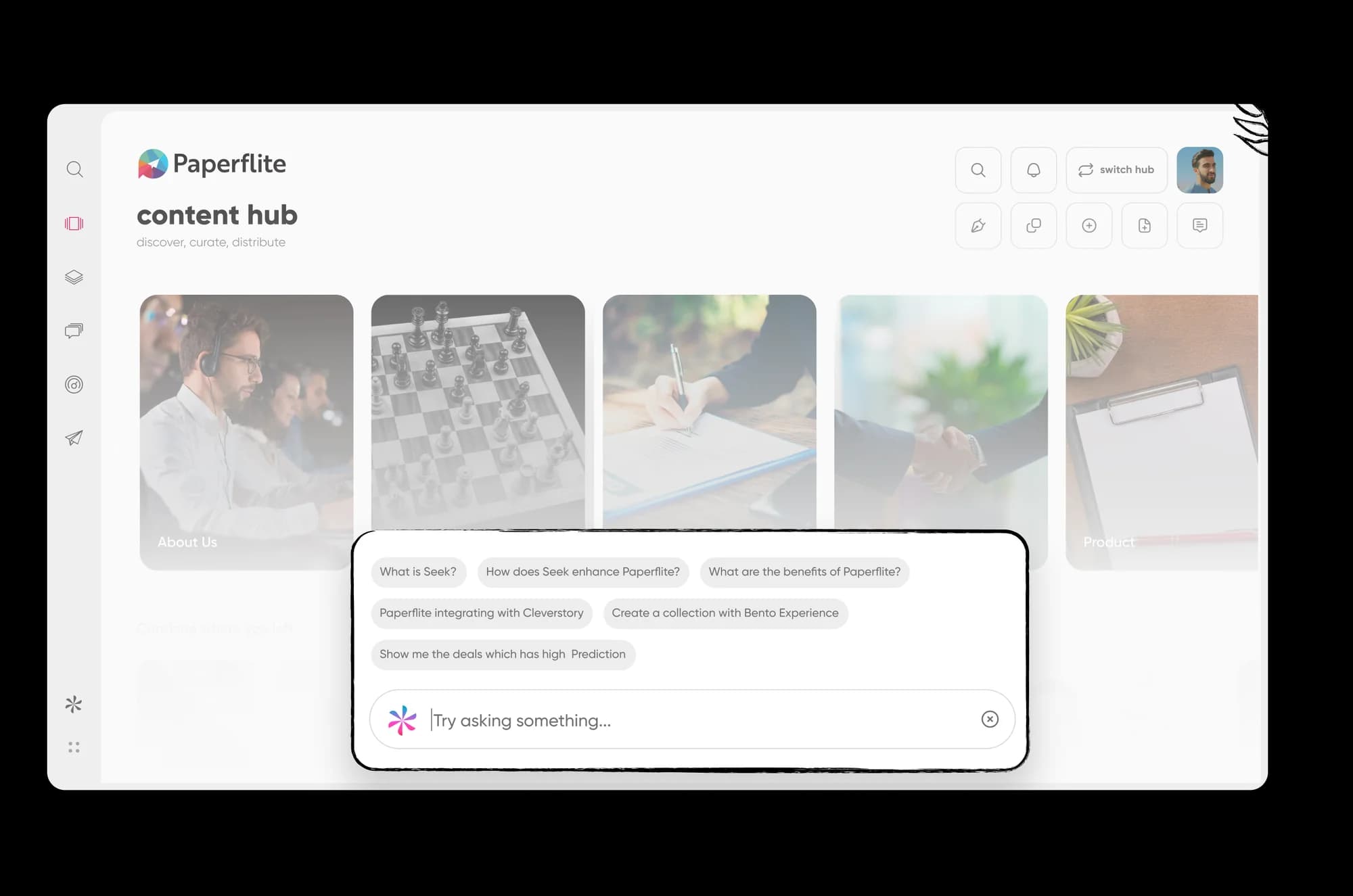
By the time you reach this stage, you know what you need: a content library sellers can search, controls that match how your teams work, and analytics that show what is actually being used. Paperflite's Content Hub organizes assets into categories and folders, with browse and quick actions so sellers can find and share without hunting through a maze.

Search supports filters and keyword refinement, and the Content Hub includes an AI assistant that sellers can ask in plain language. Role and user group settings carry your governance model across, and content analytics show views, shares, and time spent per asset, so you can measure adoption against the baseline you captured in Step 6.
If you want to see how your own library would map across, book a demo and bring your audit sheet. We will walk through taxonomy, permissions, and rollout against your actual content.
Verify before publish: confirm with the Paperflite team what migration support is offered (assisted import, timeline, who does the work) before adding specifics here. Do not claim a native Highspot importer unless it exists.
Conclusion
A good Highspot migration checklist comes down to sequence. Name an owner, audit before you move, map your taxonomy, rebuild permissions, reconnect your stack, protect the analytics that matter, and pilot before you roll out. Teams that skip the first two steps tend to repeat their old library problems on a new platform.
You do not need a perfect plan to start, but you do need a date, an owner, and an honest content audit. Once those exist, the rest of the checklist is mostly execution, and our guide to revenue enablement strategies can help you decide what to build on top of the new platform once it is live.
Ready to plan your move off Highspot? Book a demo and bring your audit sheet, and we will map it to Paperflite with you.
FAQ
How long does a Highspot migration take?
It depends on library size, the number of integrations, and how much analytics history you carry over. Vendor-led projects advertise a few weeks, while teams doing the work internally should plan for a few months. Your content audit is the best predictor, so run it first and use the result to scope the timeline.
What should I do before migrating off Highspot?
Name a migration owner and executive sponsor, check your contract renewal and notice dates, and capture baseline metrics such as adoption and time to find content. Then audit your library so you know what is worth moving. These steps take a week or two and prevent most of the problems that appear later.
Can I export my Highspot analytics history?
That depends on your Highspot plan and what data you need, so check with your account team before you promise anything internally. Most teams keep summary-level reporting such as top content and adoption trends, and start fresh at the asset level. Whatever you keep, save a baseline before cutover so you can compare results later.
How do I keep sellers from losing content during migration?
Keep the old system available in read-only mode for a short overlap after each team goes live. Rebuild the saved searches and pinned items sellers rely on, and train them in the week before cutover. A named champion on each team also helps, because people ask a colleague before they ask a help desk.
Should I migrate everything or start fresh?
Migrate selectively. Sort every asset into keep, rewrite, or retire, and move only what is current and owned. Content with no recent views and no owner rarely earns its place on a new platform, and leaving it behind makes search better from the first day.
How do I rebuild Highspot permissions in a new platform?
Export your current user groups and roles, then decide what to keep, merge, or drop. Define who can publish, edit, and view, and assign an owner to each content category. Test access with a few real users from different teams before you invite everyone.
How do I get started with Paperflite?
Book a demo and bring your content audit, taxonomy sheet, and list of integrations. The team can walk through how your library, roles, and reporting would map to Paperflite, and what a rollout plan looks like for your sales teams.
Paperflite's Content Technologyin Action
It's Easier Than Falling Off a Log
(Don't Ask Us How We Know That)

