
Migrating From Highspot: Content, Metadata, Permissions, and Change Management
Oct 22, 2026
The renewal notice lands on a Tuesday morning, and the contract ends in ninety days. You open Highspot to see what you actually own and find Spots nobody has touched in two years, three versions of the same battlecard, and a folder cheerfully named "FINAL_v2_use-this-one". Somebody has to decide what moves, what dies, and who gets to see what on day one of the new platform, and that somebody just became you.
To migrate from Highspot without a rep revolt, you need a plan for four things: content, metadata, permissions, and people. Most teams plan for the first one and get surprised by the other three. This guide walks through all four, in the order they tend to bite.
In a nutshell, to migrate from Highspot, audit and retire stale content first, export and map your metadata, rebuild folder and permission structure in the new platform, run a pilot with one team, then cut over in waves while keeping Highspot read-only for 30 days. Permissions are where plans most often slip.
Before you touch a file: decide what is actually moving
How long does it take to migrate from Highspot? Most migrations run from a few weeks to a few months, and the spread comes from content volume, permission complexity, and the number of integrations rather than the file transfer itself. Vendor kits advertise as little as four to six weeks, and the same page cites one customer going live in 39 days, but those are best-case figures from the party selling the switch. Build your own timeline from your audit, not from a brochure.
The audit is the cheapest hour you will spend in this whole project. Pull a full asset list with owner, last-modified date, view count, and the Spot or folder each item lives in. Then sort every asset into one of three buckets: retire, merge, or migrate. A reasonable starting rule is that anything nobody has opened in twelve months, and that is not tied to a live deal stage or a compliance requirement, goes in the retire pile. Duplicates go in the merge pile, where you pick the best version and let the others go. Everything else moves.
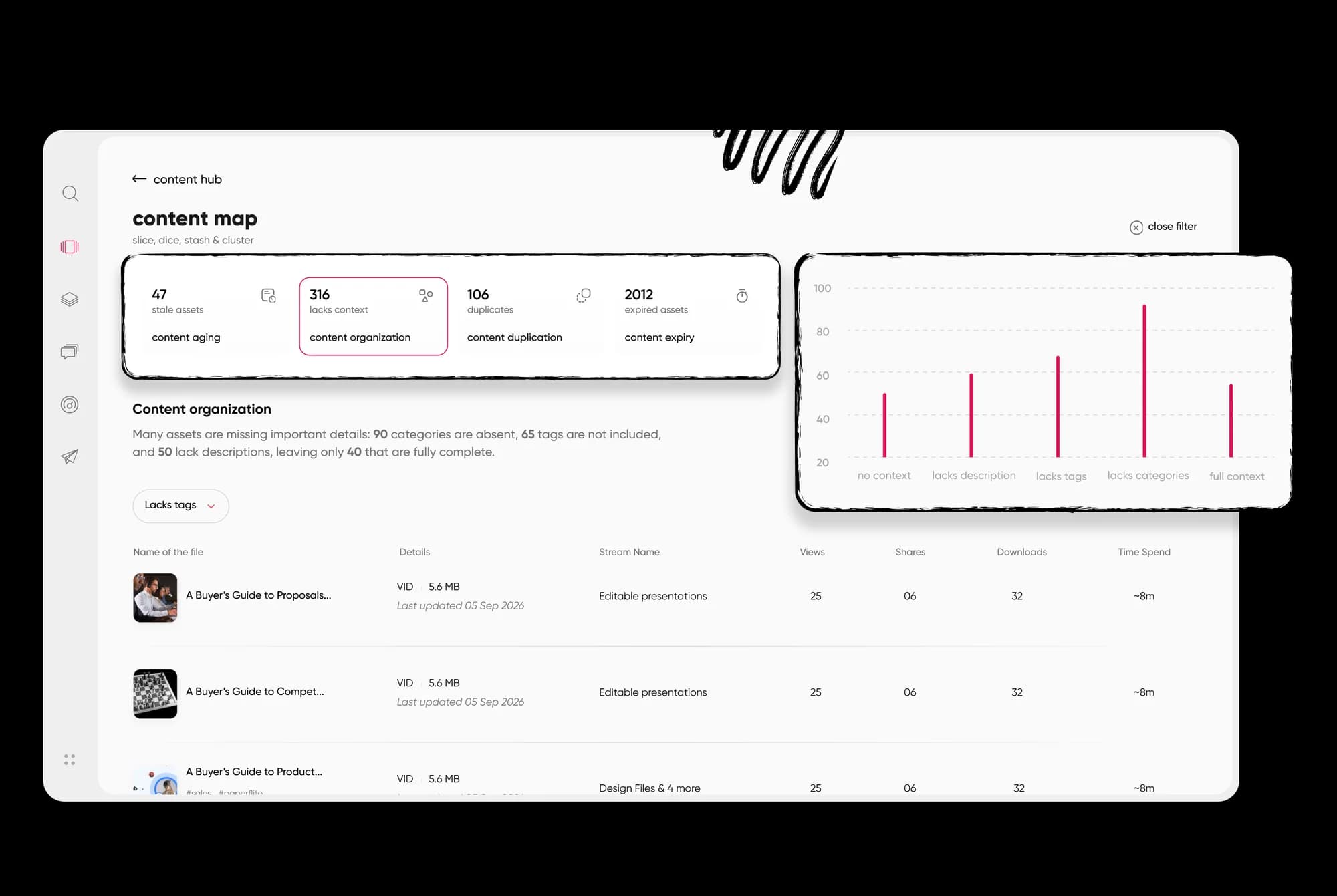
A content-performer view like this makes the retire pile obvious before a single file moves.
Engagement data does the arguing for you here. The same numbers you would use to measure sales enablement impact will tell you which assets reps genuinely use and which ones only exist because someone once asked for them. Export that history now, because it is the first thing teams wish they had after cutover (more on that in the analytics section).
Moving content: files, Spots, pitches, and what doesn't travel
Can you export content from Highspot? Usually you can get your files, links, and basic metadata out, but you should not expect everything to come along. Version history, comments, pitches, and in-platform analytics are the items most likely to stay behind, so decide before cutover which of them you need to archive separately.
Other revenue enablement tools like pf1 helps your teams migrate with ease, try now. Only the latest version of an item is indexed, comments and version history are excluded, and text inside images and scanned PDFs is not extracted. That describes a connector, not Highspot's native export, but it points at the same weak spots: anything that lives around the file rather than in it.
Think about content in three layers. The first is the files themselves (decks, PDFs, one-pagers, videos), which move easily. The second is the structure around them: Spots, folders, and the pitches that bundle assets for a specific audience. These need to be rebuilt rather than copied, so write down how your team actually navigates before you recreate anything. The third is the stuff that behaves like a living document, such as battlecards that change monthly. Migrate the current version, archive the old ones somewhere searchable, and name an owner for each. The types of sales enablement content you run will decide how many of these living documents you have.
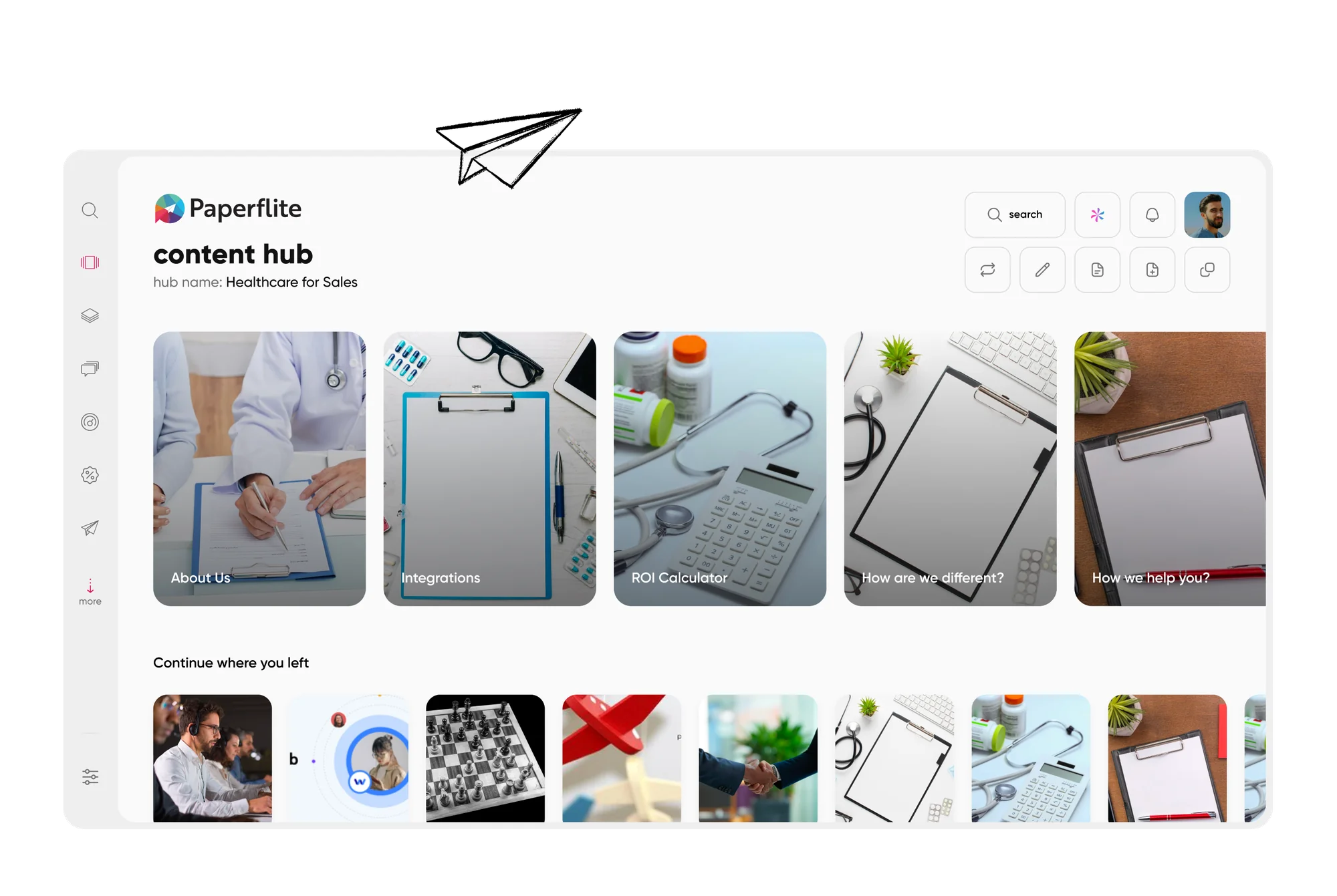
Rebuilding the folder logic in the new platform is easier when you start from how reps browse.
Metadata and tagging: the part everyone underestimates
Files are easy to move and hard to find. Metadata is the reason reps find anything at all, and it is the part of a migration that quietly decides whether search works on day one. Connector documentation notes that descriptions and authors can come through blank, which is a good reminder to check your own data before you assume it is clean.
Start with a field map. List every tag, category, and custom field in Highspot in one column, and the matching field in the new platform in the next. Some will map one to one. Others will need merging (you have "Enterprise" and "Ent." and "Large Accounts" meaning the same thing), and a few will deserve to die. Do this in a spreadsheet before you import anything, and have a sales leader sign off on the persona and buyer-stage tags, since those are the ones reps filter by.
Then clean as you go. Fix blank owners and descriptions, standardize naming, and decide whether each asset needs a persona, a stage, a product, or all three. A smaller, consistent set of tags beats a huge one that nobody trusts. The sales content management guide goes deeper on taxonomy if yours needs a rebuild.
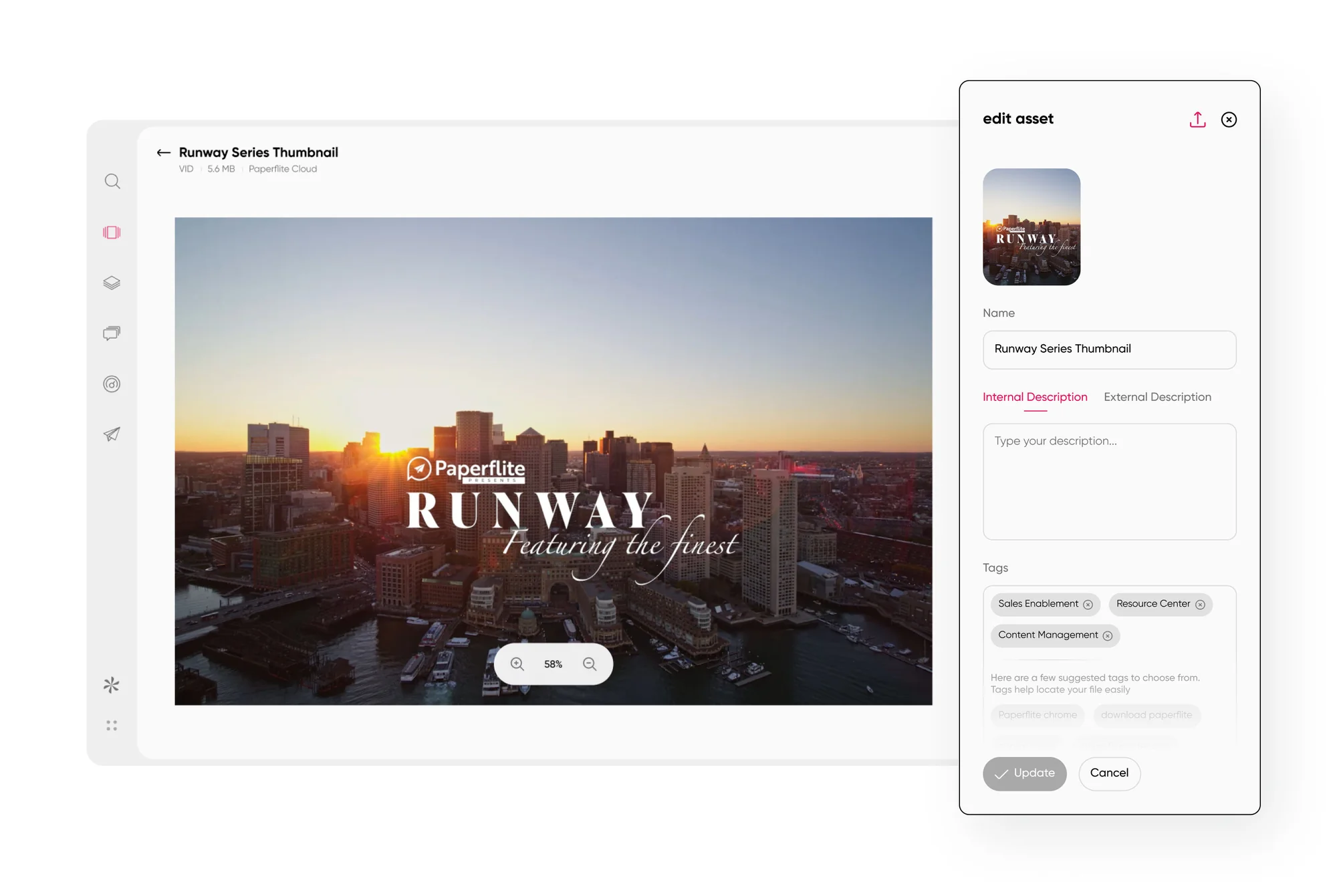
Asset metadata and tags in one view make the field map easy to check.
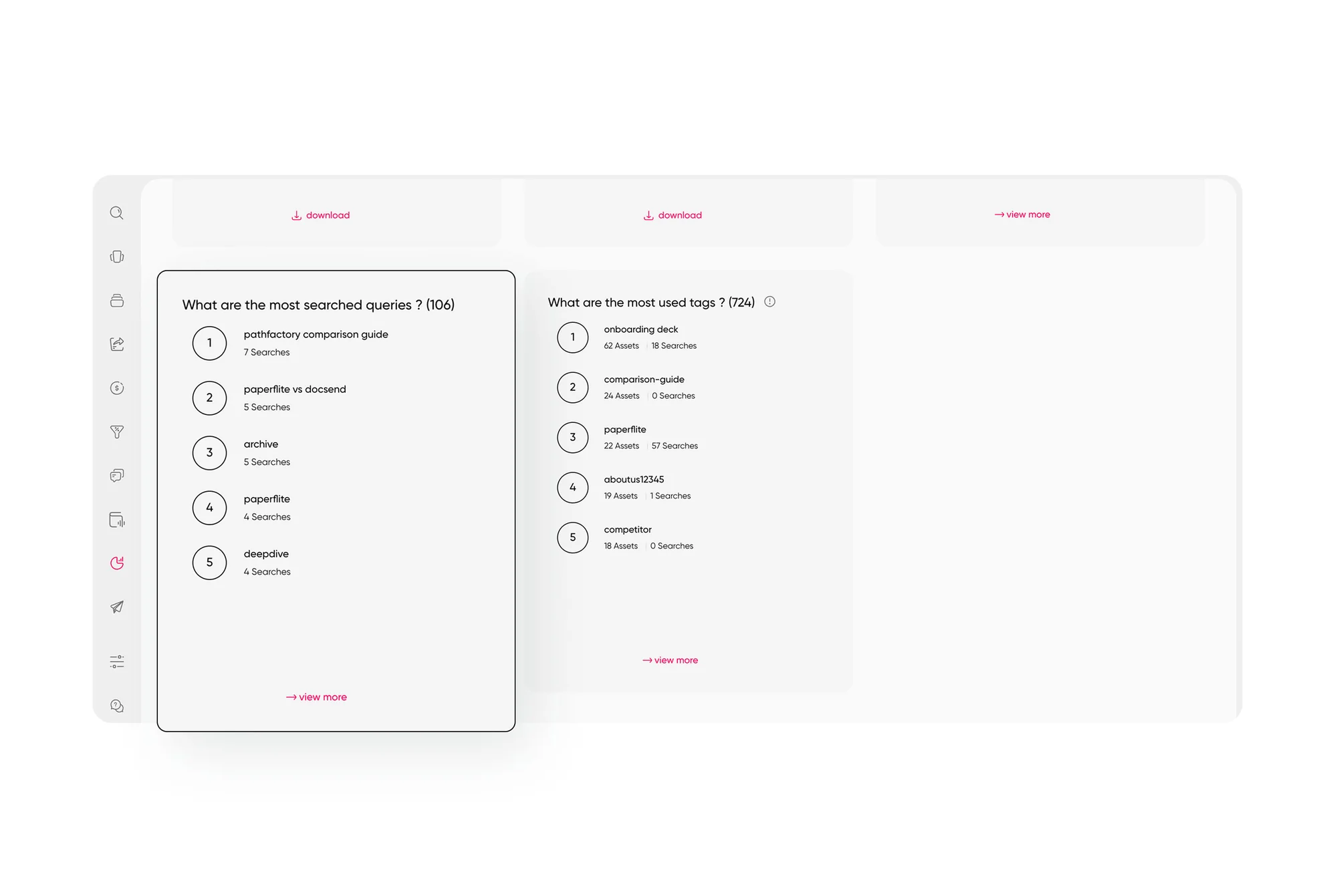
Search and tag intelligence shows which terms reps actually use to find content.
Permissions: rebuilding access without leaking it
Permissions are the part of the plan that slips most often, because nobody sees them until someone sees the wrong thing. In Highspot, access is tied up with Spots and the groups attached to them. In most other platforms it is a mix of roles, user groups, and folder or collection rules, so a one-to-one copy rarely exists.
Map it in three passes. First, list who needs access at the level of role, such as AE, SDR, CS, partner manager, or marketing. Second, translate each Spot into a folder or collection and attach the right user groups to it. Third, set a least-privilege default, so new content is visible to the smallest sensible audience until someone widens it. It is far easier to open a door than to explain why pricing leaked to a partner channel.
Timing matters too. Connector documentation shows that content and permission changes can sync on different schedules (content every few hours and permissions daily, in Simpplr's case), so a person who loses access in the old system may keep it elsewhere for a while. Do not assume access updates everywhere at once.
Before go-live, run a test. Log in as an AE, a new hire, a partner, and a contractor, and try to find pricing sheets, legal templates, and anything under NDA. Anything you can open that you should not is something they can open too.
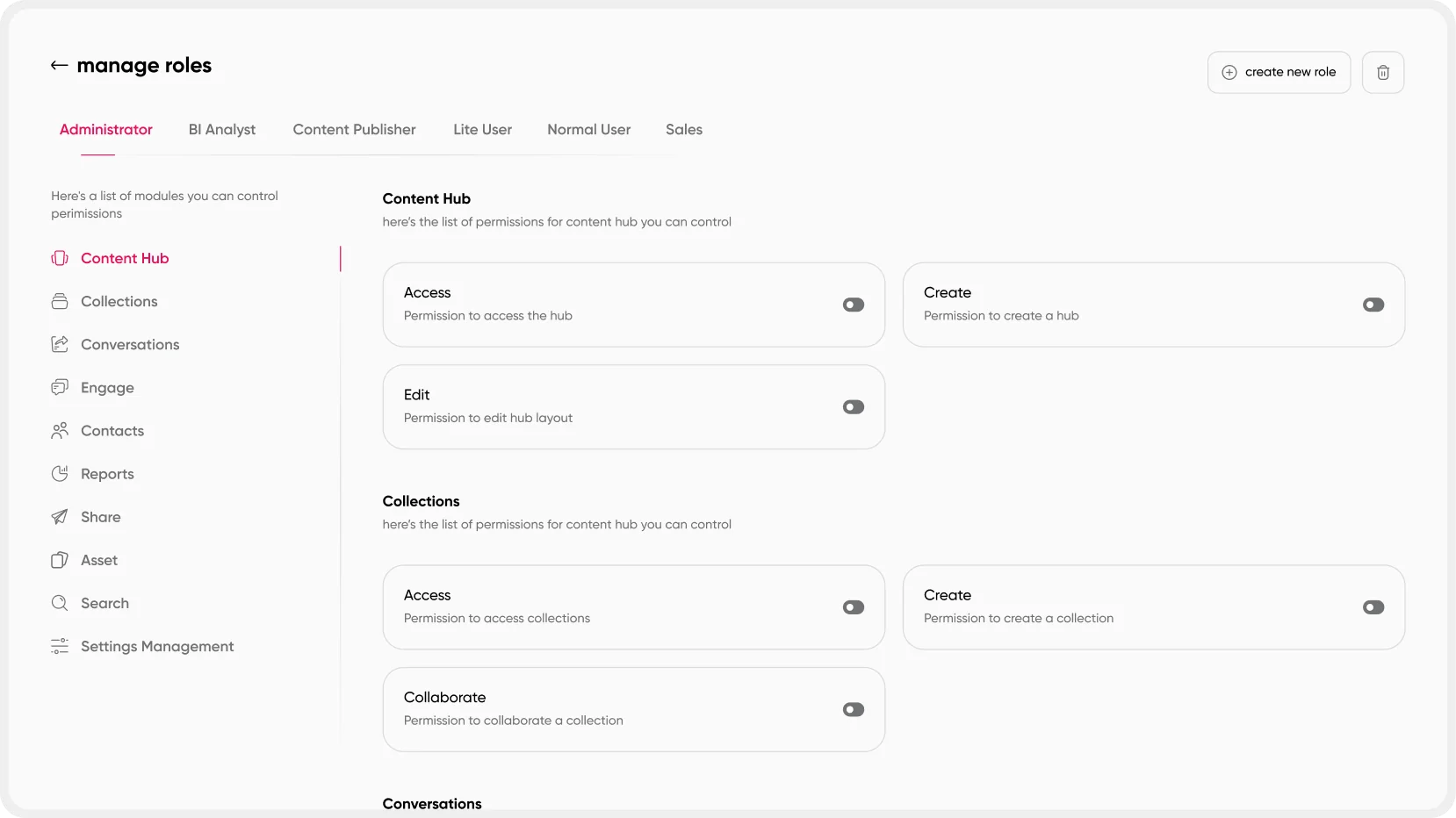
Role-level permissions define what each team can view, edit, and share.
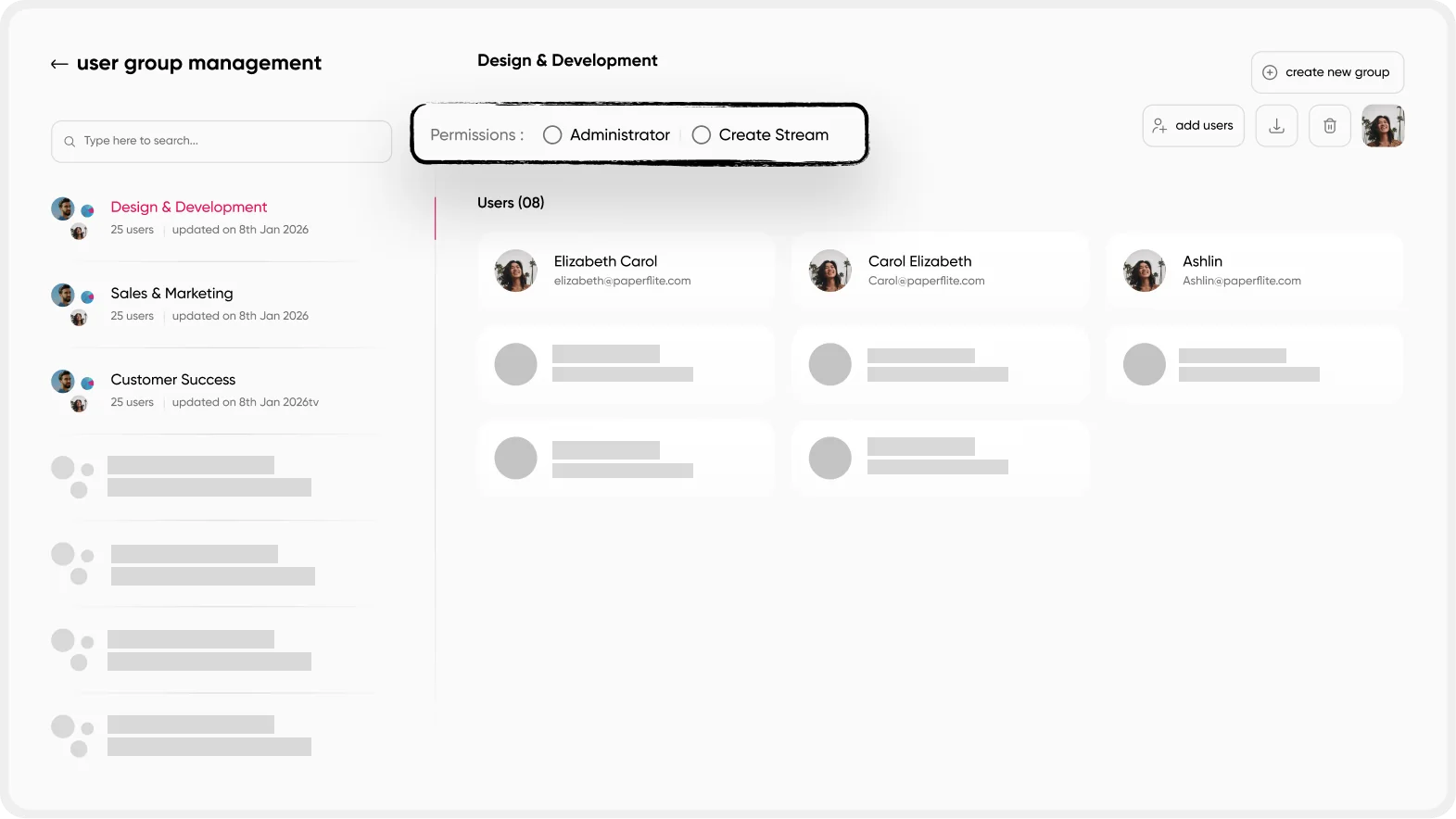
User groups let you recreate Spot-style audiences without copying them one by one.
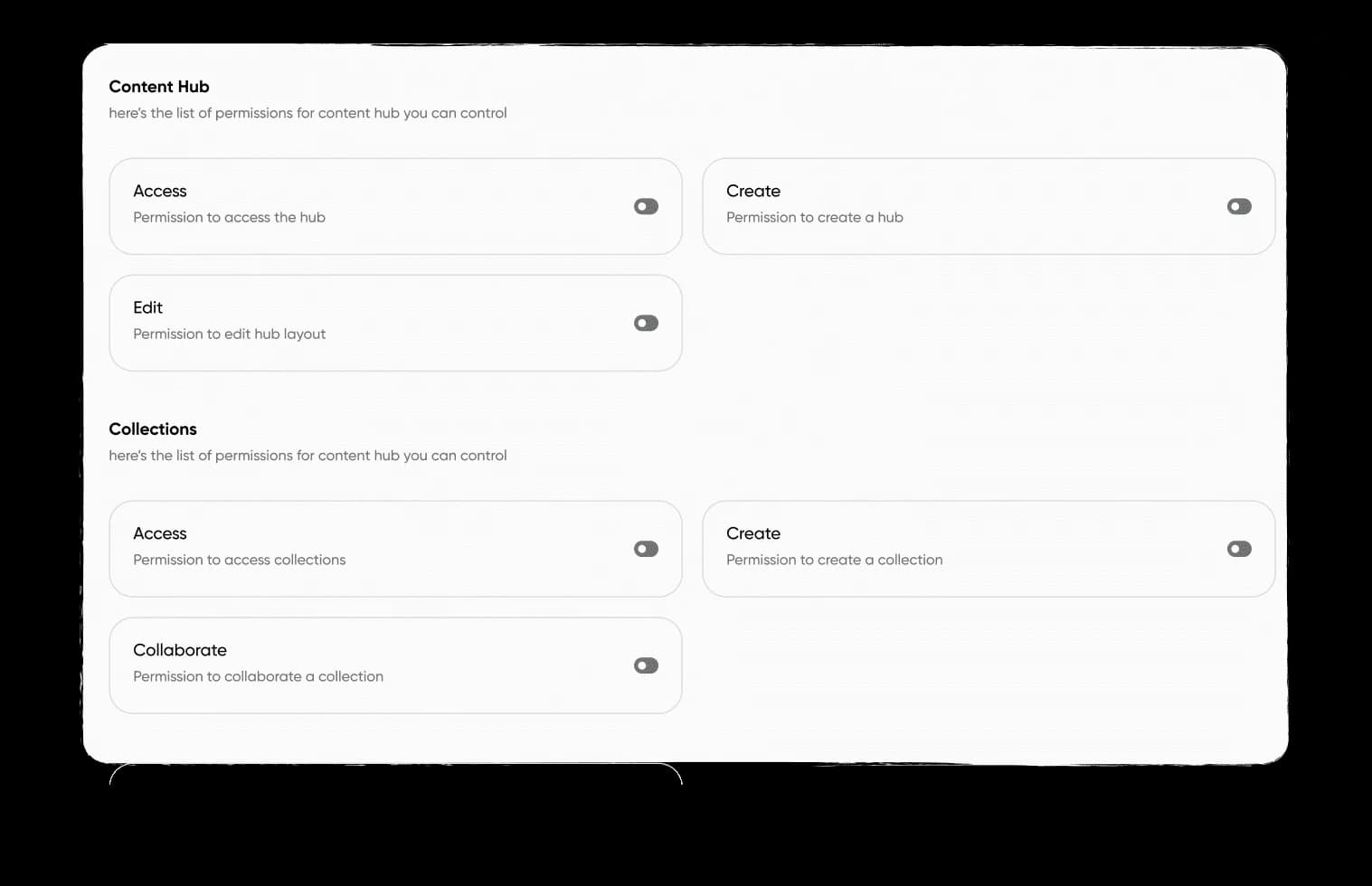
Hub-level role permissions keep sensitive folders restricted from the first day.
Integrations and analytics continuity
Your content platform probably talks to your CRM, your email tool, and a few others. List every connection, note what data flows each way, and re-point them in the new platform before reps are asked to use it. A rep who shares a deck and sees it missing from the deal record will go back to attaching files by hand, and that habit is hard to undo.
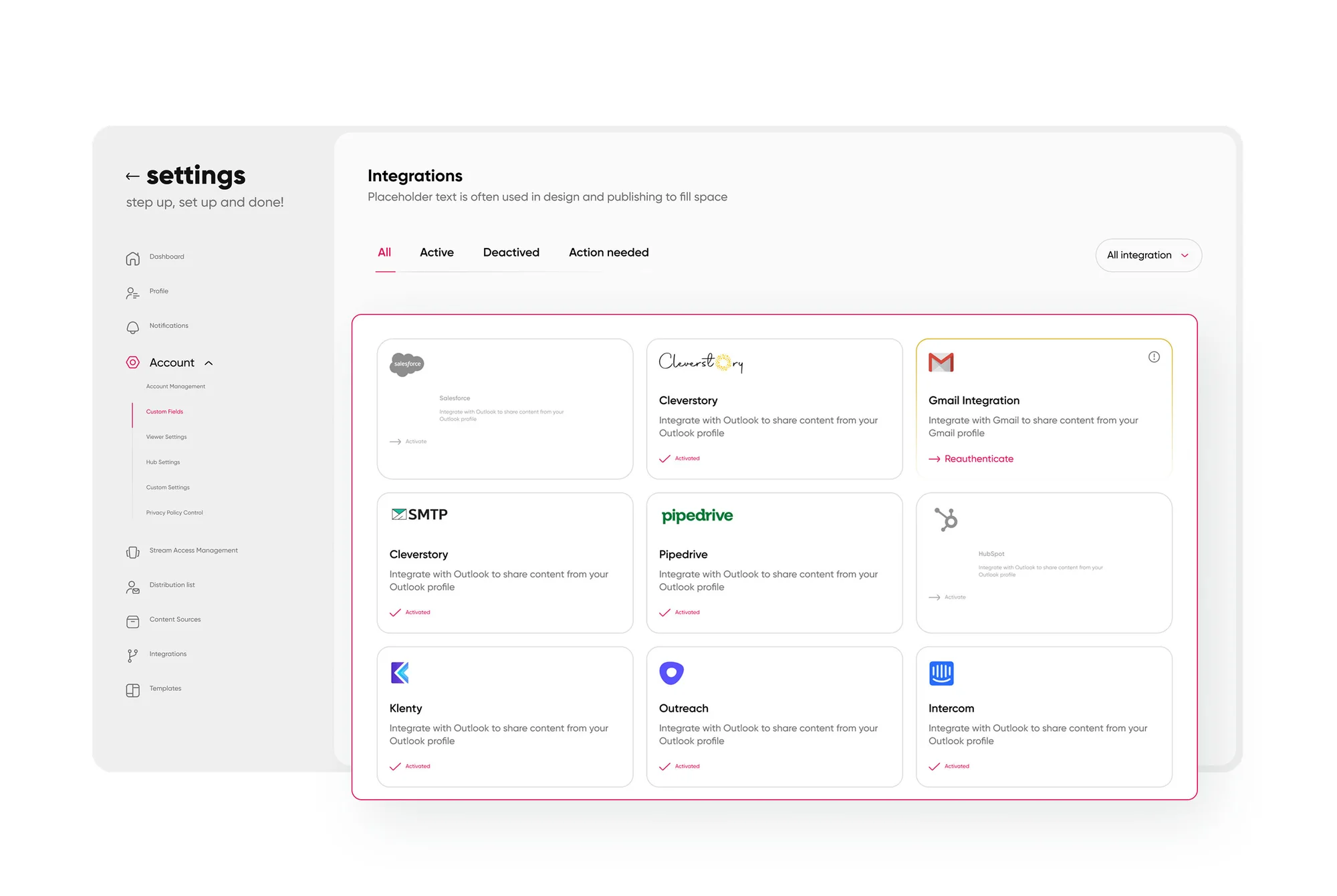
An integrations hub shows which connections are live before cutover.
Analytics history is the gap teams discover last. Engagement data rarely moves between platforms, so export what you need from Highspot before access ends. That covers top assets, usage by team, and anything feeding your QBR decks, saved as flat files you can reopen in a BI tool. Then pick a baseline: the same five or six metrics, measured in the new platform from week one, so you can compare adoption before and after instead of guessing.
Change management: why reps stop using the new tool in week three
Why do reps abandon a new content platform? Usually because finding content feels slower than it did before, or because the content they trust is missing or out of date. Training sessions rarely fix either one. A migration succeeds when the first thing a rep searches for is right there on the first try.
Think of it like moving house. The boxes can all arrive on time and still leave you eating cereal off a lid for a week if nothing is labeled. Labels, in this case, are the owner, the champions, and the plan.
Name a migration owner who has real authority over the timeline, and an executive sponsor who will answer when a regional lead pushes back. Recruit champions on each team (one or two reps per squad is plenty), and give them early access so they can tell you what is broken before everyone else finds out. Then run a pilot with a single team for two weeks before you roll out to anyone else. A pilot is a cheap way to find the broken folder, the missing tag, and the permission that was too tight.
After the pilot, roll out in waves instead of one big switch. Keep Highspot read-only for about thirty days after each wave as a safety net, so nobody panics when a deal needs an old asset. Set a clear date when it turns off, and tell people early, since a soft shutdown tends to become a permanent second system.
Measure adoption from day one: logins, searches that end in a share, and time to first share for new users. These are the numbers a revenue enablement leader will be asked about at the next review, and they tell you where to spend your next hour.
A realistic migration timeline
Use this as a planning template and stretch it to fit your content volume and number of integrations. A team with a few hundred assets and one CRM can move faster, and a team with tens of thousands of assets and several regions will take longer.
Audit, weeks 1 to 2. Pull the asset list and sort it into retire, merge, and migrate. You are done when the migrate list has sign-off.
Map, weeks 3 to 4. Build the metadata field map and the permission map. You are done when sales leadership has approved both.
Pilot, weeks 5 to 6. Move one team and collect the issues. You are done when the pilot team finds content without help.
Waves, weeks 7 to 10. Roll out team by team with Highspot set to read-only. You are done when adoption metrics reach your baseline.
Retire, weeks 11 to 12. Run the final export, archive what you need, and switch off the old platform. You are done when the contract is closed and the archive is stored.
How pf1 (formerly Paperflite) handles a Highspot move
You came here to move, not to be sold to, so here is the short version of what pf1 gives you on the other side. The pf1 pulls your library together from Drive, Box and wherever it lives, so the structure you rebuild in the permissions step has a natural home. The Knowledge agent answers questions in plain language with the source attached, and serves content by role, product and market from day one. Distribution tracks what buyers read and revisit, which gives you the baseline we talked about earlier. Deal and Coaching build on both when you are ready.
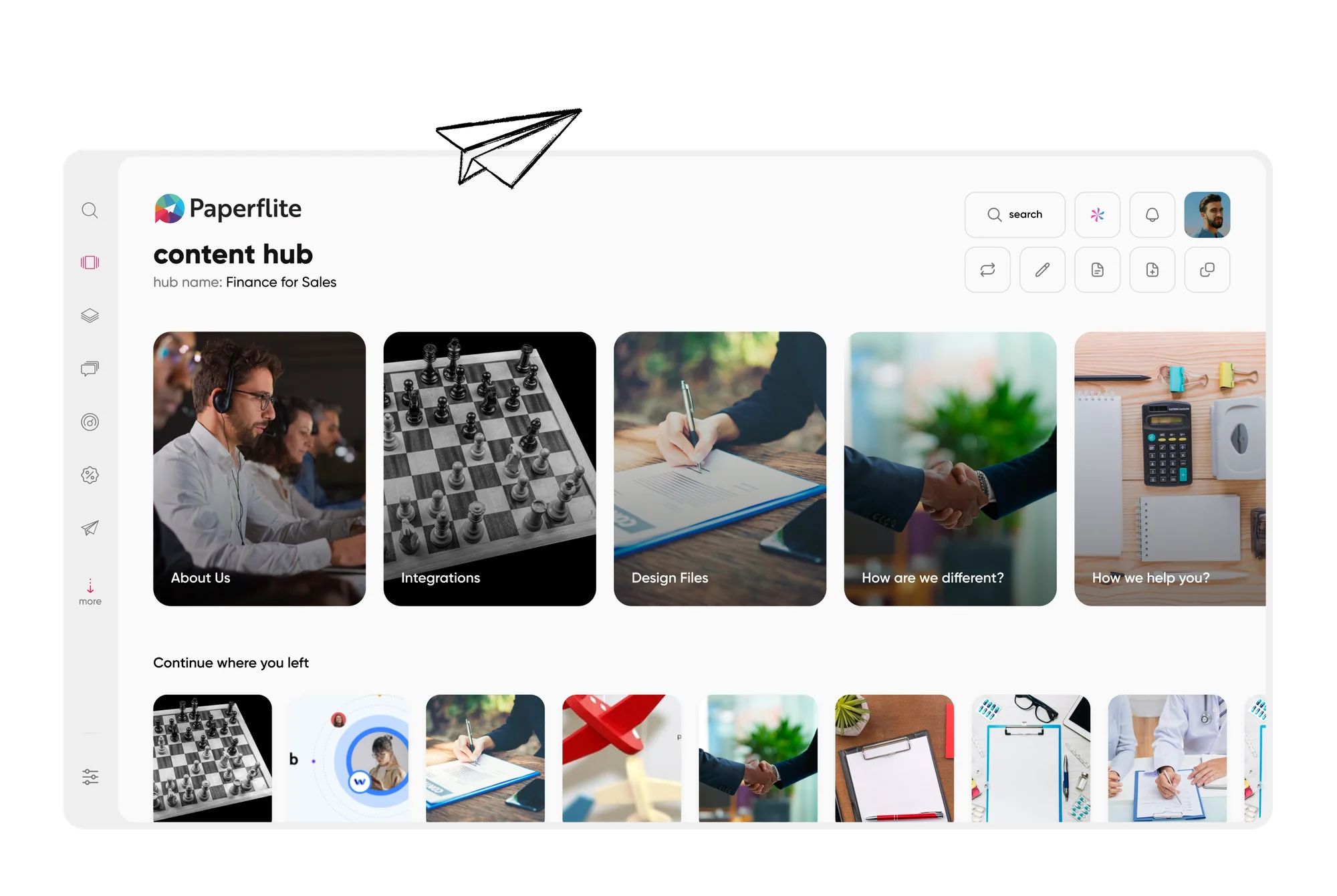
The Content Hub library gives reps one place to browse and search.
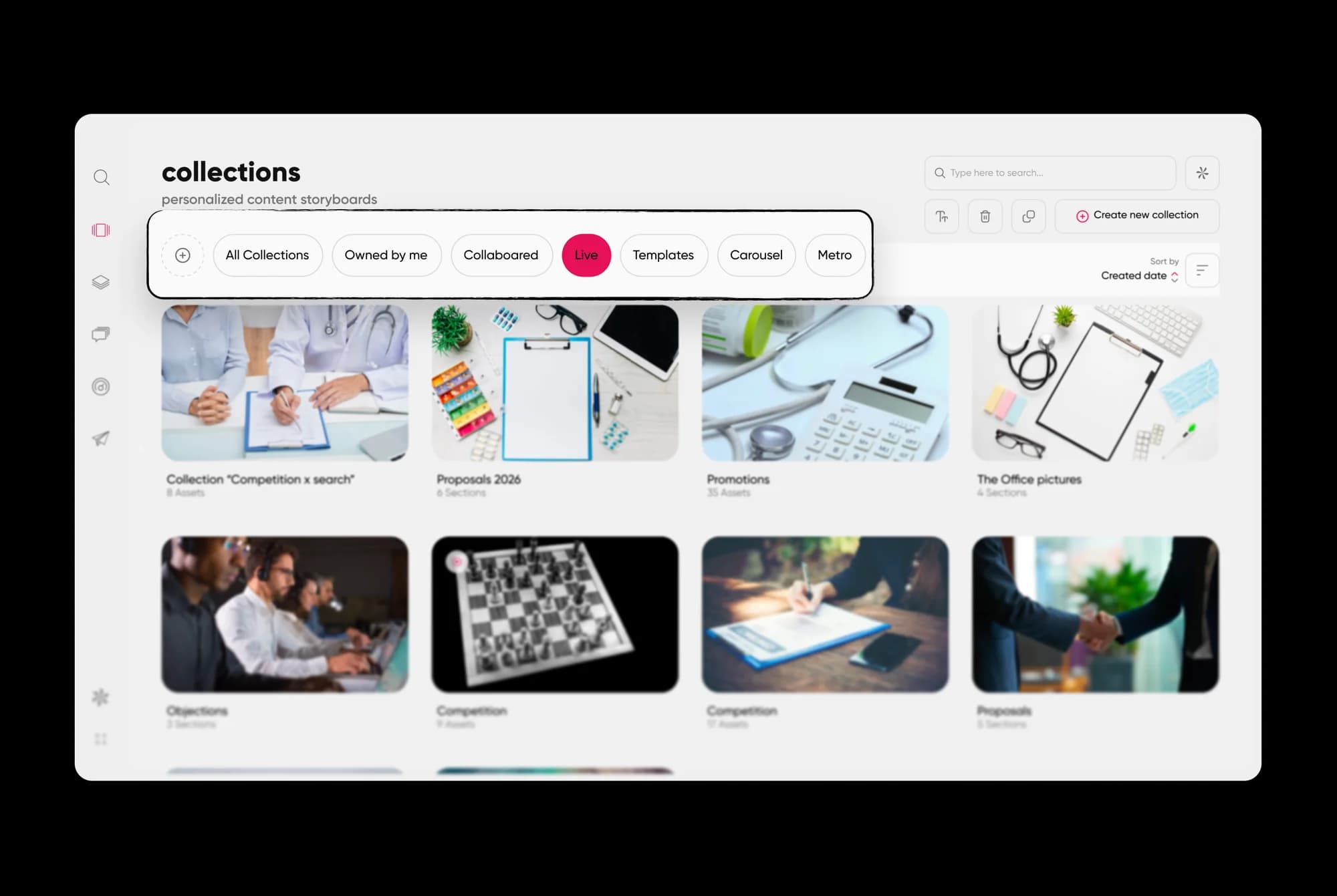
Collections package the right assets for a specific audience or stage.
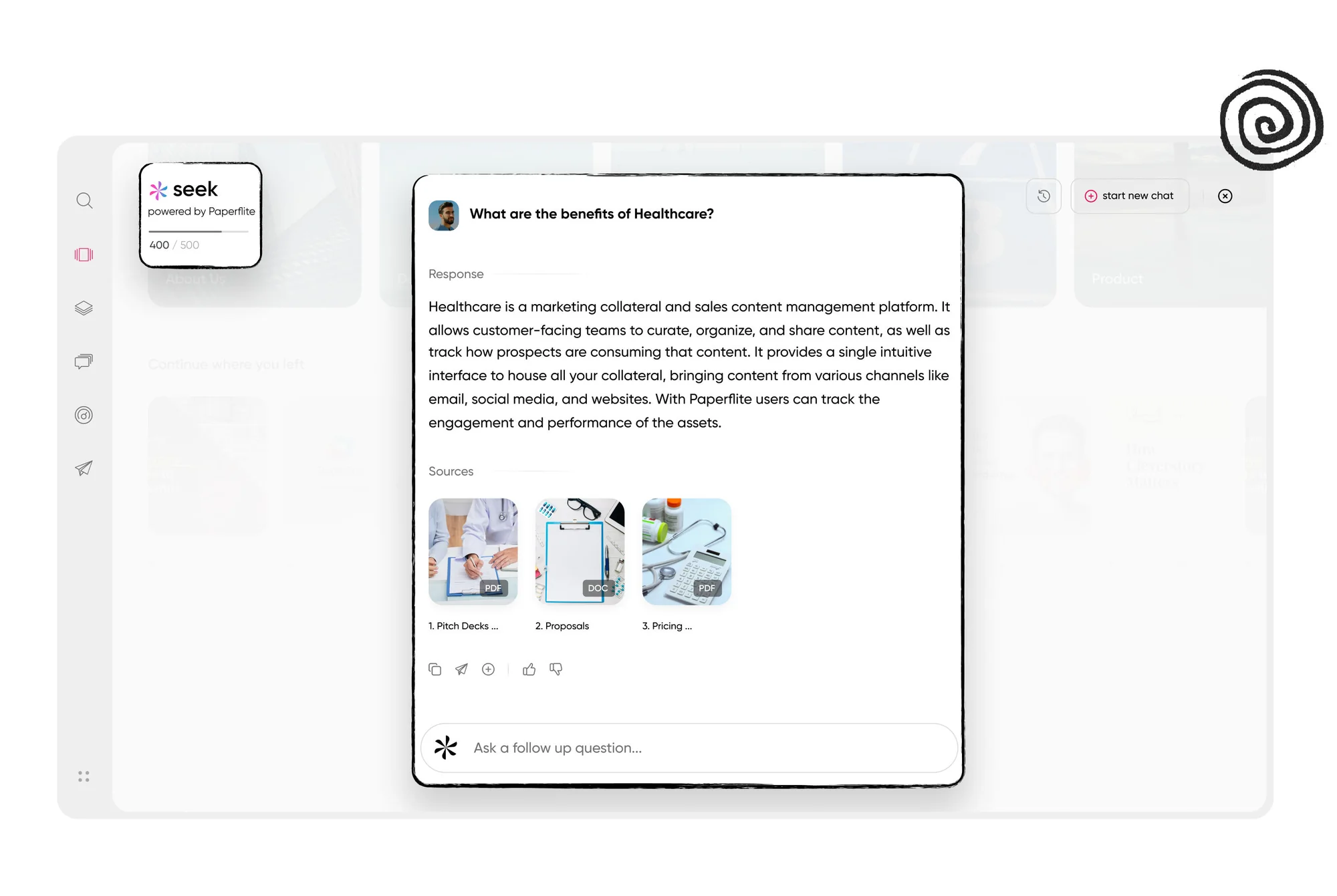
AI search answers a rep's question directly from the content library.
Whichever platform you choose, put three questions to the vendor, us included. What does your import path look like for files and metadata? How do your roles and groups map to the structure we have now? What will analytics look like in the first two weeks? The answers tell you how much of this plan lands on your team and how much lands on theirs. For a broader view of the field, see what to look for in the features of a sales enablement tool and how the top sales enablement software options compare.
When you are ready to see how your own library, tags, and teams would land in pf1, book a demo and bring your worst folder.
Conclusion
A Highspot migration goes well when you treat it as four projects that share one deadline. Audit before you move, map your metadata and permissions on paper before you import, protect your analytics history, and give reps a pilot, champions, and a safety net. Teams that migrate from Highspot this way spend their time fixing small things in week two instead of explaining big things in week six.
Start with the audit this week. It costs an afternoon, it shrinks every other step, and it gives you a real number to take into the renewal conversation.
Your renewal clock is already running. Book a demo, bring your current content hub, folders, and your permissions map, and see how it would land in pf1.
Frequently asked questions
How long does it take to migrate from Highspot?
Most teams need between a few weeks and a few months. The range depends on how much content you have, how complex your permissions are, and how many integrations need re-pointing. A short audit gives you a far better estimate than any generic timeline, so start there before you commit to a date.
Can I export my content and metadata from Highspot?
You can usually export files, links, and basic metadata, but items such as version history, comments, pitches, and in-platform analytics may not come with them. Check what your plan's export and API options cover before you plan the move, and archive anything you need separately.
Will I lose my analytics history if I switch?
Engagement history rarely transfers between platforms, so you should export what you need before access ends. Save top assets, usage by team, and anything that feeds your QBRs as flat files, then set a baseline in the new platform from the first week.
How do Highspot permissions map to a new platform?
Rarely one to one. List who needs access by role, turn each Spot into a folder or collection with the right user groups attached, and default new content to the smallest sensible audience. Test the result by logging in as different roles before go-live.
Should I migrate everything or start fresh?
Migrate selectively. Retire anything unused for a year that is not tied to a live deal or compliance need, merge duplicates, and move the rest. A smaller library with clean tags is easier for reps to trust and easier for you to maintain.
How do I get reps to adopt the new platform?
Make sure the first search a rep runs returns the right asset. Pair that with a named owner, champions on every team, a two-week pilot, and a thirty-day read-only period for the old system. Track logins and time to first share to see where adoption stalls.
Paperflite's Content Technologyin Action
It's Easier Than Falling Off a Log
(Don't Ask Us How We Know That)

