
SALES COLLATERAL AUDIT CHECKLIST FOR ENTERPRISE TEAMS
Oct 21, 2026
It is the Thursday before quarter end, and a rep in a late-stage deal is digging through three shared folders, an old Slack thread, and her own sent mail for the security overview. She sends the PDF that looks newest. It still lists a pricing tier you retired two quarters ago, and the buyer's procurement lead spots it in about ten seconds. A sales collateral audit is how you stop that moment from happening to your team.
Industry roundups suggest that up to 65% of sales content never gets used, which means most of what your team built is quietly competing with the handful of assets that actually move deals. This guide gives you a 12-point checklist built for enterprise teams, where multiple regions, product lines, and approvers make a spreadsheet-and-hope audit fall apart.
What a sales collateral audit covers, and why enterprise teams do it differently
A sales collateral audit is a structured review of every asset your sales team can send to buyers. Inventory all content, score each piece for accuracy, usage, and fit to buyer stage, then decide whether to keep, update, merge, or retire it. Enterprise teams repeat the process quarterly and assign an owner to every asset.
Think of it as a sales content audit with a narrower lens. A marketing content audit asks which pages bring in traffic. A sales enablement content audit asks which assets a rep can trust in front of a buyer today, and which ones should never have left the drive. That covers decks, one-pagers, case studies, battlecards, security documents, pricing sheets, email templates, and the half-finished versions reps made for themselves.
The enterprise version adds layers a small team never meets. You have regional variants of the same deck, product teams who each publish their own material, legal and compliance reviewers, and permissions that decide who sees what. Your audit has to account for ownership, approvals, and access, or the cleanup will undo itself within a quarter. Those layers are where most of the mess hides when your sales enablement collateral is spread across teams and tools.
It also helps to picture the library by buyer stage. Early on, buyers see awareness material such as explainer content and short overviews. In the middle of a deal they want case studies, comparison material, and product detail. Near the close they ask for security documentation, pricing, and legal terms, and these late-stage assets are the ones where a wrong detail does real damage. Your audit should look at all three stages, with extra care at the end.
When to run a sales collateral audit
Quarterly works for most enterprise teams, because product marketing, pricing, and positioning rarely stay still for longer than that. An annual audit is common, yet it lets a stale asset sit in rep hands for months before anyone catches it.
Beyond the calendar, a few events should trigger an audit on their own:
- A product launch or a retired feature
- A pricing or packaging change
- A rebrand or messaging refresh
- An acquisition that brings in a second content library
- Entry into a new region or vertical
Think of the schedule the way you think of a car service. You do not wait for the engine to fail before you look under the hood, and a short check at each milestone keeps the big service from turning into a rebuild. Run a lighter check at each trigger and save the full audit for the quarterly cycle. A light check can be as simple as searching your library for the old product name or price and fixing every hit.
The sales collateral audit checklist (12 points)
The checklist runs in four phases: prepare, score, decide, and sustain. Each phase has a clear output, so you can hand pieces of it to different owners and still know where the whole audit stands. Work through the points in order the first time, because later steps depend on the inventory you build early.
Phase 1: Prepare
1. Set the goal and scope. Decide what this audit is for before you open a single folder. A goal like "remove anything that mentions the old pricing" produces a very different audit than "find gaps in our mid-market case studies." Write down which teams, regions, product lines, and asset types are in scope, and note what is deliberately out. A first audit of a large library goes better when you start with one product line or one region, learn from it, and then roll the method across the rest.
2. Name an audit owner and reviewers. One person runs the audit, and each content group gets a reviewer from sales, marketing, and product. Enablement usually leads, since it sits between the teams that make content and the teams that use it. Without a single owner, the audit becomes a shared document that nobody finishes.
3. Build the inventory. Pull every asset into one list, and look in more places than feels reasonable: shared drives, your CRM, email templates, the resources tab on your website, and wherever reps keep their own copies. For each asset, capture the title, format, owner, creation and last-updated dates, product, persona, buyer stage, region, and current status. The fields matter more than the tool, so a clean spreadsheet beats a messy platform.

A single organized library with folders by category replaces scattered drives and personal copies.

Metadata and tags such as owner, persona, and stage make the inventory sortable instead of a pile of file names.
Borrowing from digital asset management practices helps here, especially consistent naming and tagging, because a library you can filter is a library you can audit in hours instead of weeks.
Phase 2: Score
4. Check accuracy and freshness. Read each asset against what is true today: product capabilities, pricing, customer names, statistics, and dates. Mark anything that references a retired feature, a former competitor position, or a number you can no longer source. A deck that was right in January can be wrong by April.
5. Check brand and messaging consistency. Compare each asset to your current positioning, voice, and visual standards. Enterprise libraries often contain three generations of messaging at once, and a buyer who sees two of them in the same week notices.
6. Check legal, compliance, and approval status. Confirm that every claim, logo, and customer reference has a recorded approval, and flag anything that needs a fresh review. In regulated industries this check is the one that protects you, so give it a named reviewer rather than leaving it to whoever has time.
7. Pull real usage and engagement data. Look at the last 90 days: how often each asset was shared, opened, and downloaded, and how long buyers spent with it. With no analytics available, ask your three best reps what they actually send at the evaluation stage, since their answers show what works faster than any report. Usage data is the most useful signal in the whole audit, because it separates the assets people choose from the assets people were handed.
8. Check fit to persona and buyer stage. Map each asset to the persona and stage it serves, and look for pile-ups and empty spots. Fourteen decks for the discovery stage and nothing for the security review is a pattern the inventory will show you.
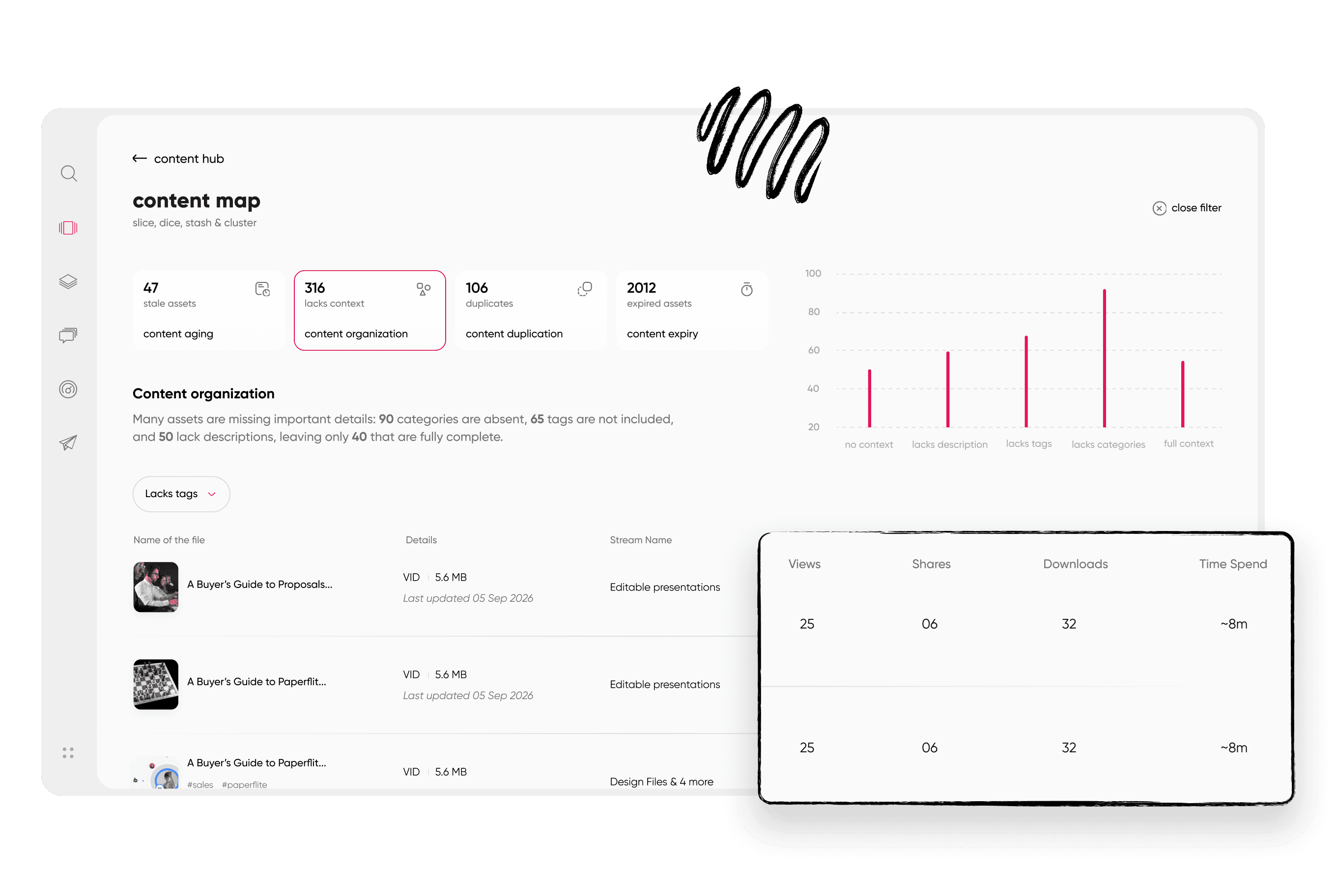
An asset performance table shows views, shares, downloads, and time spent for each piece of content.
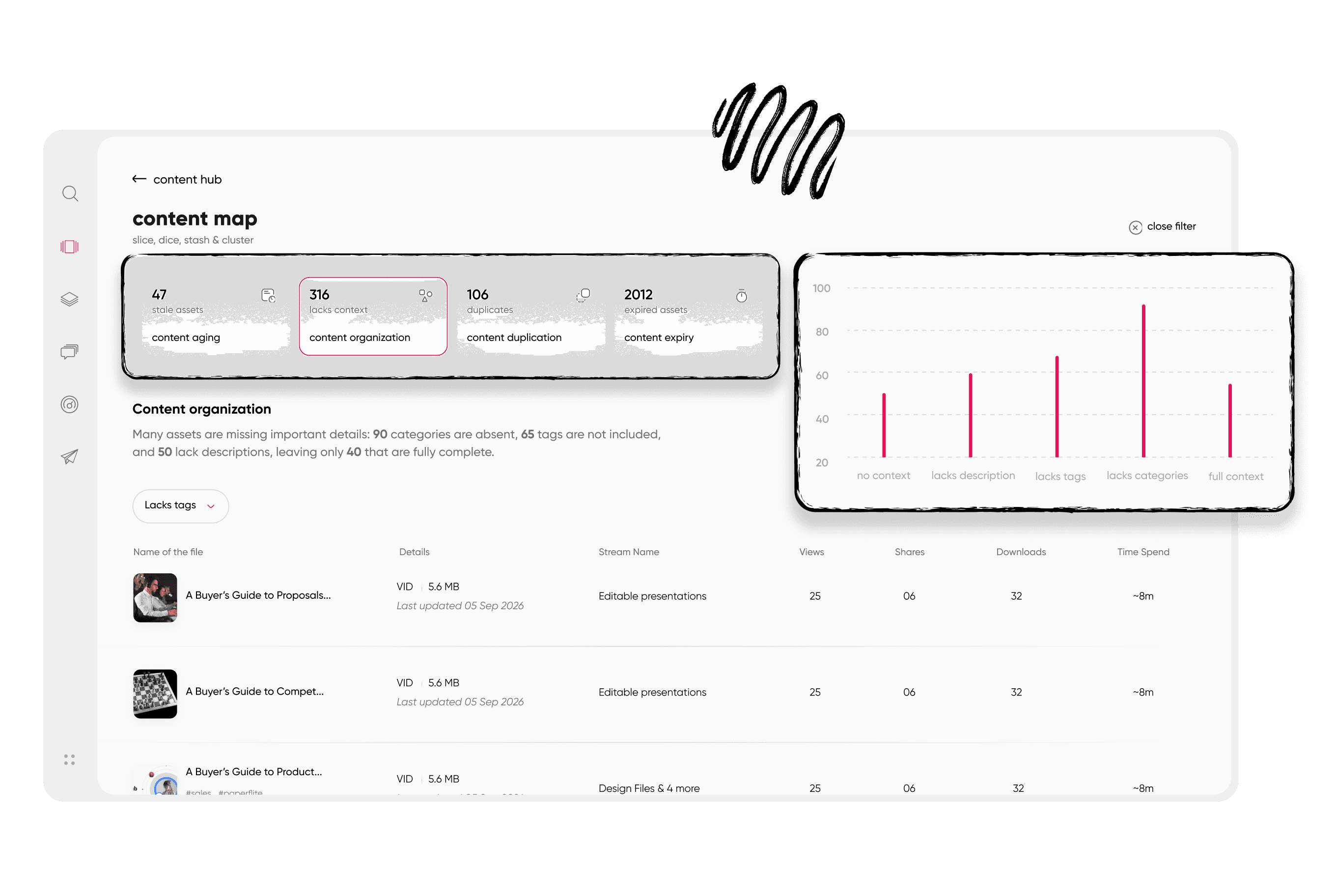
Filtering for low performers surfaces the retire-or-rework candidates in one view.
Phase 3: Decide
9. Assign a keep, update, merge, or retire call to every asset. Keep what is accurate and used. Update what is used but outdated. Merge near-duplicates into one version, and retire what is both stale and ignored. Set a retirement threshold in advance (for example, no engagement in 90 days and no owner willing to defend it) so the decisions do not turn into debates about taste. When you merge duplicates, keep the version with the best engagement and the cleanest approval trail, and redirect every old link to it so nothing breaks in a live deal. When you retire an asset, record the reason and the date, because someone will ask in six months why the old pricing sheet disappeared.
10. Run a gap analysis. Lay your surviving assets across buyer stages and personas, then add the objections your reps hear most often. The empty cells are your content roadmap. This is also where conversations with sales pay off, since reps can tell you which missing asset costs them time in every deal.
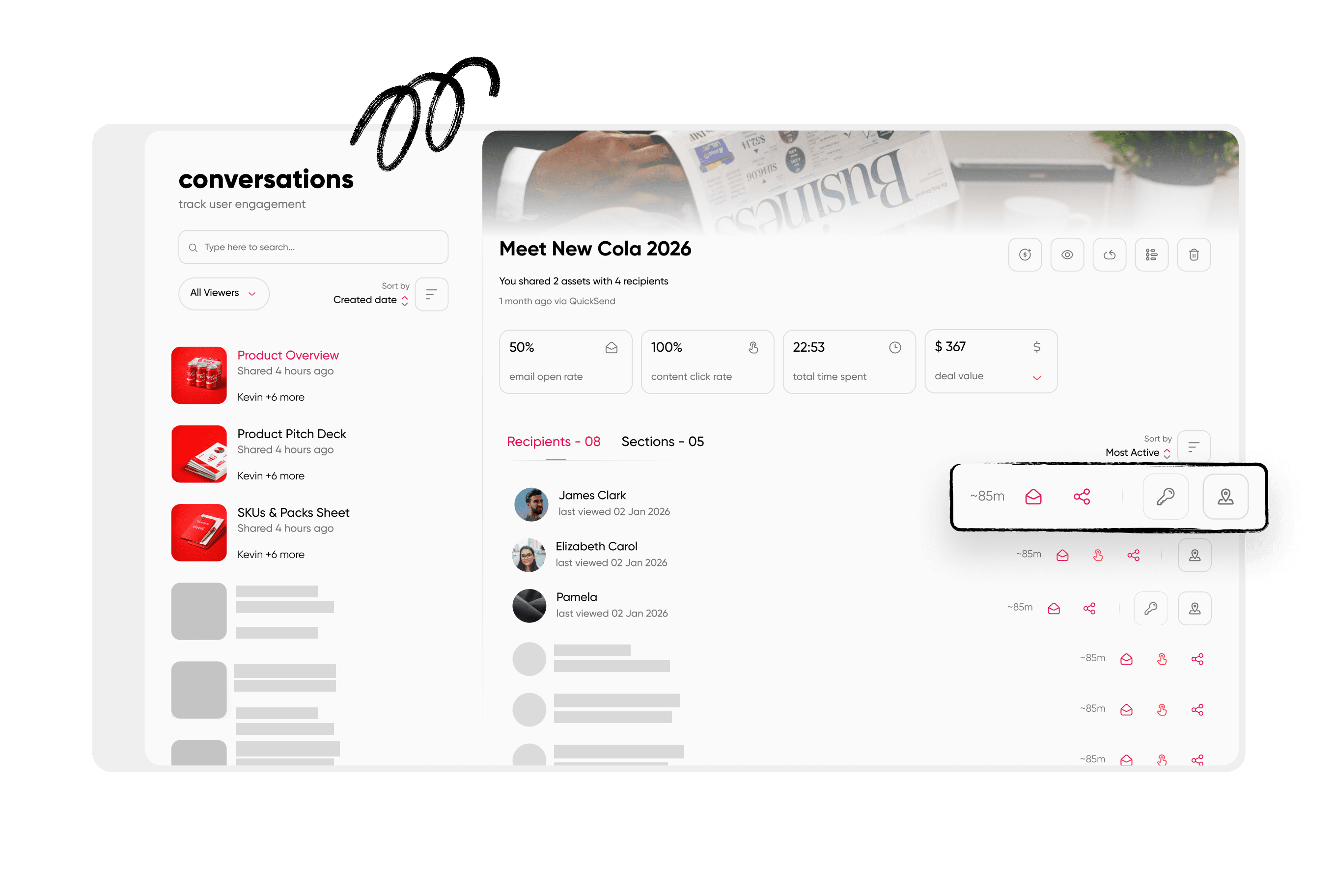
Top engaged assets show which formats and topics deserve more investment.
Phase 4: Sustain
11. Lock in governance. Decide who can publish, who can edit, and who can see each content group, and put version control and naming rules in writing. Retired assets should be archived, not deleted, so you keep a record for compliance and can restore anything retired by mistake. Strong content management turns governance from a policy document into something the system enforces.
12. Set the cadence, KPIs, and a reporting loop. Put the next audit on the calendar before this one ends. Track a short list of numbers: the share of assets used in the last 90 days, the share with a named owner, the average age of live assets, and the time reps take to find what they need. Then report results back to sales, because reps who gave their time to the audit and heard nothing will not help with the next one.
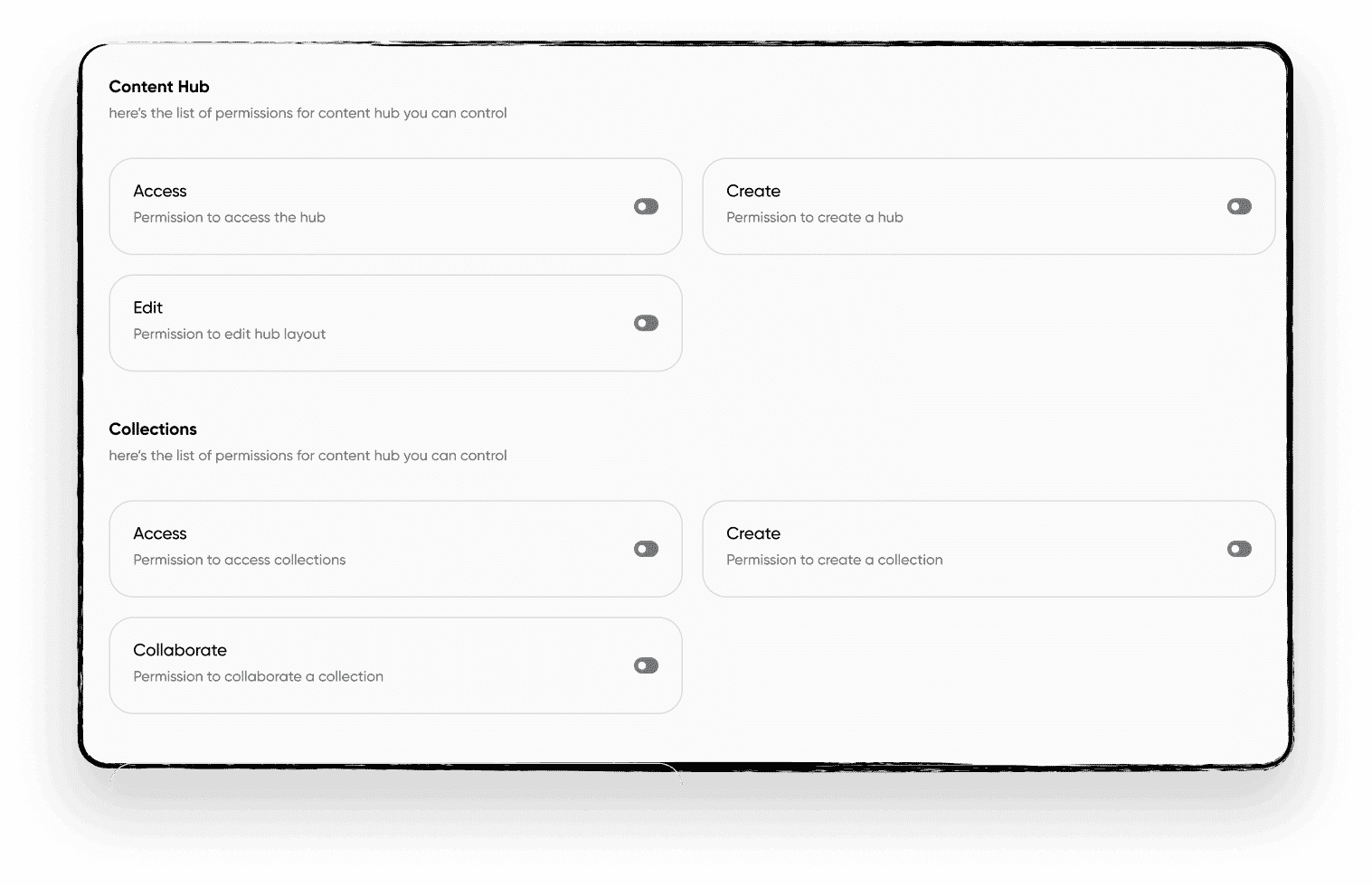
Role-based permissions control who can publish, edit, and view each content group.
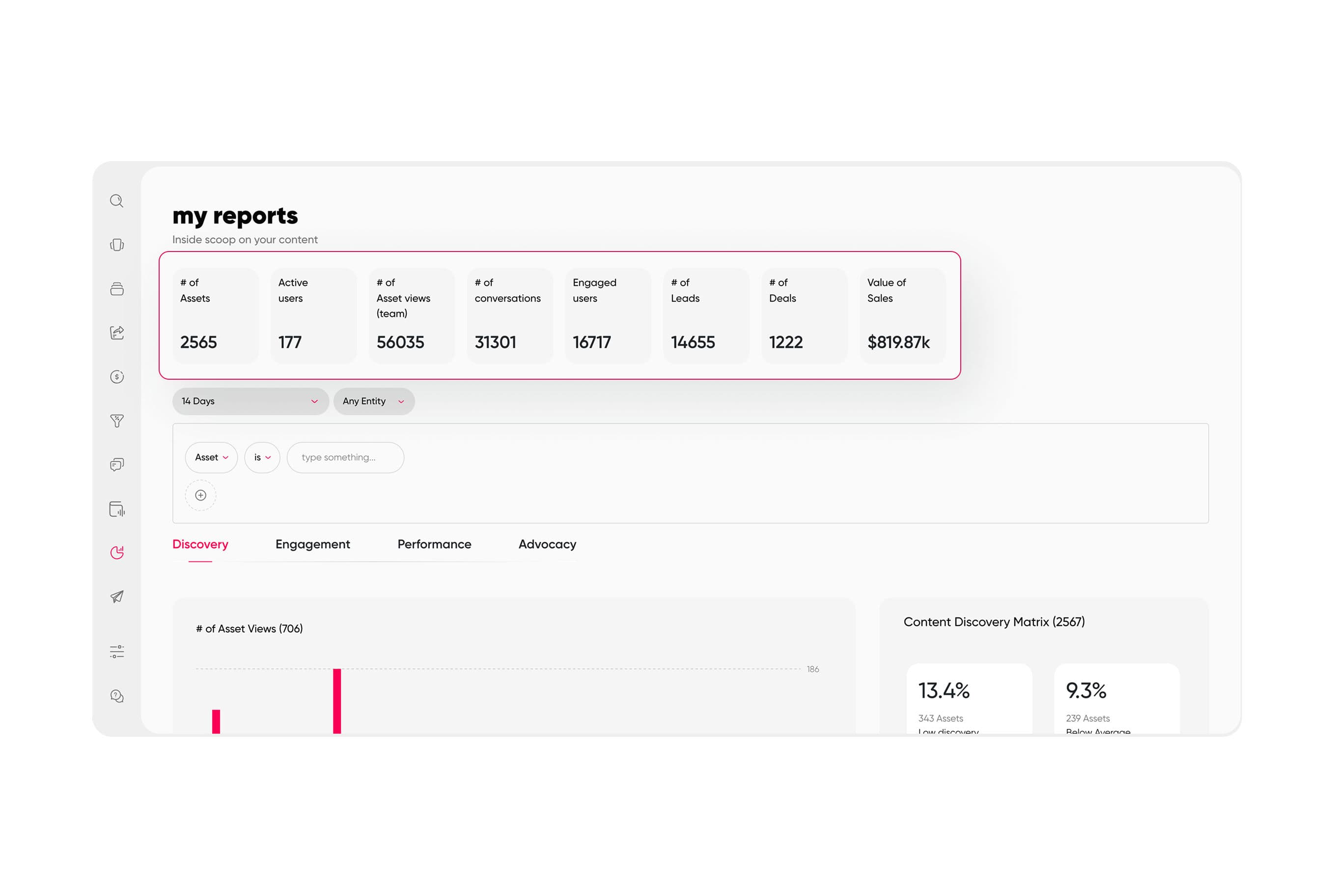
An executive summary view turns audit results into a report leadership can read in minutes.
How to score each asset
A scorecard keeps the keep-or-retire calls consistent across reviewers. Rate each asset from 1 to 3 on five criteria: accuracy, usage in the last 90 days, fit to persona and stage, brand consistency, and approval status. A 3 means solid, a 2 means fixable, and a 1 means a problem.
Add the five scores for a total out of 15. Assets scoring 12 to 15 are keepers, 8 to 11 go into an update queue with an owner and a due date, and anything under 8 is a merge or retire candidate. Here is how it plays out in practice: a regional case study that reps open often, quotes a customer who has since churned, and has no recorded approval might score a 3 on usage, a 1 on accuracy, and a 1 on approval. The total looks passable, yet the asset still goes on hold until someone confirms the customer reference. Treat an approval score of 1 as an automatic hold, whatever the total says, since an unapproved claim in front of a buyer costs more than an unused deck ever will.
Who owns a sales collateral audit in an enterprise team
Enablement usually leads, because it sits between the people who create content and the people who use it. Marketing owns quality and accuracy, sales validates what actually gets used in deals, product confirms what is current, and legal signs off on claims and references. Spelling out these roles before the audit starts saves you the argument about whose job a stale asset is halfway through.
Keep the group small and the decisions fast. One owner per content group, one escalation path, and a fixed review window (two weeks is plenty for most libraries) will do more for your audit than a larger committee.
Common audit mistakes
Most failed audits fail for the same few reasons. Knowing them in advance lets you design around them.
- Auditing without usage data. Judging assets on how good they look hides the ones reps rely on and keeps the ones nobody opens.
- Skipping rep interviews. The inventory shows what exists, and the reps show what is used, so you need both.
- Going quiet after the audit. Reps who took part and then heard nothing will treat the next audit as a waste of their time.
- Deleting instead of archiving. You lose your compliance trail and any chance of restoring an asset you retired by mistake.
- Treating it as a one-time project. A library starts drifting the day the audit ends, so the cadence is part of the work.
One more trap is worth naming: auditing only what marketing produced. Reps build their own versions of decks and one-pagers all the time, often because the official version is hard to find or does not fit their deal. Those personal copies are part of your library whether you approved them or not, so include them in the inventory and ask why they exist, since the answer usually points to a gap you can fix.
How Paperflite makes the next audit easier
The first audit is the hard one because you are clearing a backlog by hand. What you want afterward is a library that audits itself a little every week, so the quarterly review becomes a check instead of a rescue.
That is the idea behind Paperflite's content hub: one organized home for sales content, with tags and metadata that make the inventory searchable, asset-level analytics that show views, shares, and time spent per piece, and role-based permissions that control who publishes and who sees what. Low performers show up in a filtered view, and your retire list builds itself from real engagement instead of opinions. Because search and filters help reps find the current version quickly, they stop reaching for the copy saved on their desktop, which cuts down the stale-asset problem at its source.
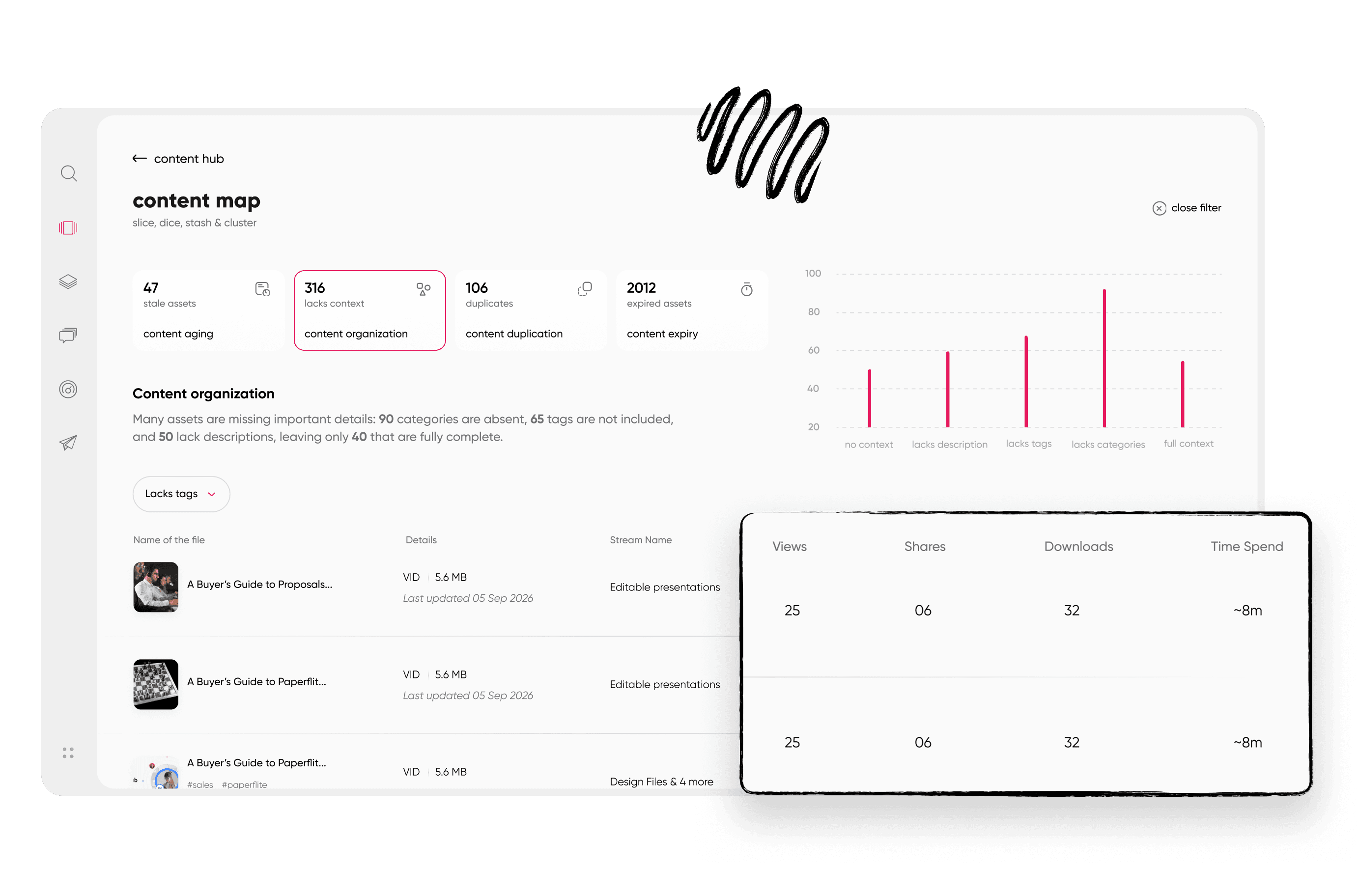
The content analytics dashboard shows engagement across the whole library at a glance.

Search and filters help reps find the current version fast, which keeps stale copies from circulating.
A short demo shows what an audit looks like when the usage data is already in place.
Conclusion
A sales collateral audit comes down to four moves: prepare a complete inventory, score every asset on accuracy and real usage, decide what to keep, update, merge, or retire, and put governance and a cadence in place so the library stays clean. Run the 12 points quarterly, start with the assets used in your late-stage deals, and report the results back to the reps who helped you.
Your team already has the content. The audit shows which of it deserves a rep's trust, and the Sales Asset Management: What, Why and How guide is a good next read for keeping that library healthy between audits.
Your reps should not have to guess which deck is current. Book a demo to see how Paperflite gives your team one organized content hub with asset-level analytics, so your next audit starts with the data already in place.
FAQ
How often should we audit sales collateral?
Quarterly works for most enterprise teams, with lighter checks at every product launch, pricing change, or rebrand. Annual audits are common, but they let outdated assets sit in rep hands for months before anyone notices a problem.
Who should own a sales collateral audit?
Enablement usually leads, because it sits between marketing and sales. Marketing owns accuracy and quality, sales confirms what reps actually use, product verifies what is current, and legal approves claims. One named owner per content group keeps the audit moving.
What should we audit first?
Start with the assets used in late-stage deals: pricing sheets, security documents, case studies, and competitive material. Errors in these cost the most, and fixing them early shows reps the audit is worth their time.
Should we delete or archive retired collateral?
Archive it. An archive keeps a record for compliance and lets you restore anything retired by mistake, while reps stop seeing the asset in search. Delete only when legal or policy requires it.
How do you measure whether sales collateral is working?
Track views, shares, downloads, and time spent per asset, plus the share of deals where each asset was used. Compare these numbers against a retirement threshold, such as no engagement in 90 days, to decide what stays.
Can you run a sales collateral audit without a platform?
Yes, a spreadsheet inventory and rep interviews are enough for a first pass. At enterprise scale, a content platform makes usage data, permissions, and repeat audits much easier, since the inventory stays current between reviews.
Paperflite's Content Technologyin Action
It's Easier Than Falling Off a Log
(Don't Ask Us How We Know That)

