Sales workflow automation is the use of software to execute repeatable sales tasks, like CRM updates, follow-ups, content tagging, and onboarding, across tools and teams without manual input at every step. It typically spans three owners, sales reps, marketing, and enablement, and the biggest risk isn't under-automating, it's building workflows in isolation that conflict once they touch the same deal.
A rep pulls up a recommended case study mid-call, confident it's the right one because the system surfaced it automatically. It isn't. Marketing's content-tagging workflow labeled it one way. Enablement's recommendation workflow expects a different tag structure entirely. The mismatch means the rep is holding an outdated asset with the full confidence of something that looks automated and correct.
That's the failure mode most sales workflow automation guides never mention. They talk about automating tasks within one team, CRM logging for reps, content tagging for marketing, onboarding paths for enablement, as if each team's workflows exist in isolation. In practice, all three eventually touch the same content and the same deals. When their workflows don't agree with each other, automation doesn't just fail to help. It actively misleads, with more apparent confidence than a manual process ever would.
Here's what sales workflow automation actually covers, what happens when team workflows collide, and what to build first to avoid it.
What Sales Workflow Automation Actually Covers
Sales workflow automation is the use of software to execute repeatable sales tasks, CRM updates, follow-ups, content tagging, onboarding, and reporting, across tools and teams without manual input at every step. It typically spans three distinct owners: sales reps automating their own admin work, marketing automating content tagging and asset performance tracking, and enablement automating training paths and content recommendations.
That three-owner structure is worth keeping, since it's a genuinely useful way to organize the work. Where it falls short is in what happens at the seams, the exact points where a rep's workflow, marketing's workflow, and enablement's workflow all touch the same asset or the same deal.
A few common examples make the shape of this clear:
Auto-sending follow-ups after a lead downloads an asset keeps reps moving without manual email scheduling. Auto-tagging content by campaign and buyer stage keeps marketing's library organized as new assets ship. Auto-assigning onboarding paths by role keeps enablement from manually sorting new hires into the right training track. Each of these works well on its own, and each depends on the same underlying signals that power sales intelligence more broadly. The trouble starts when two of them need to agree on the same underlying data and don't.
When Team Workflows Collide
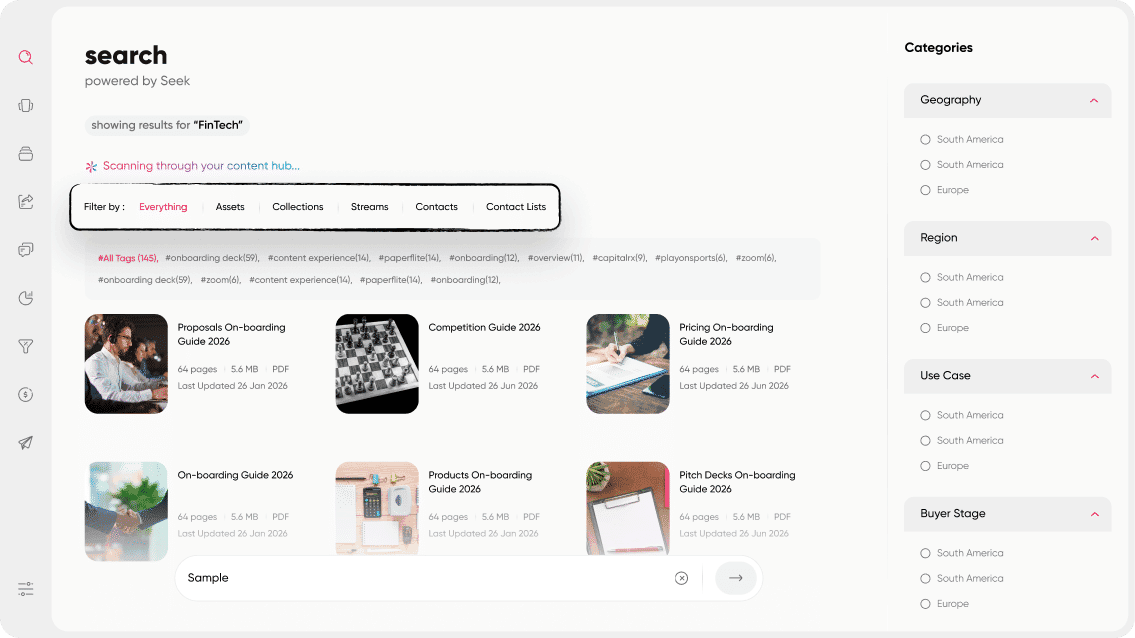
Sales and marketing workflows conflict most often around content: marketing's automated tagging system uses one taxonomy (campaign, persona, funnel stage), while a separate recommendation workflow built by enablement expects a different structure. The result is a rep receiving a confidently automated recommendation that's actually built on mismatched data, and no one notices until a deal is already affected.
This is the exact scenario from the intro, and it's more common than most teams realize, because it doesn't look like a failure from the outside. The system still runs. A recommendation still appears. Nothing crashes or throws an error. The workflow just quietly hands a rep the wrong thing with total confidence, which is worse than no recommendation at all, since a rep who knows to double-check manually would have caught the outdated asset. A rep trusting an automated system usually doesn't.
The problem gets worse, not better, as more workflows get automated, because automation adds speed and apparent authority to a recommendation without adding any check for whether the underlying data actually agrees across the systems producing it. The single fix that prevents most of these conflicts is a shared taxonomy for content, tags, and stages, owned jointly by marketing and enablement rather than built separately by each team and assumed to line up. Content marketing vs Sales enablement - Why you need both covers the broader alignment case between these two functions, which is the foundation this specific fix builds on.
What to Automate First
Start with single-owner, low-conflict workflows. CRM logging and meeting summaries are the clearest examples, since they don't depend on cross-team agreement to work correctly. A rep's own CRM update doesn't need marketing and enablement to agree on anything first.
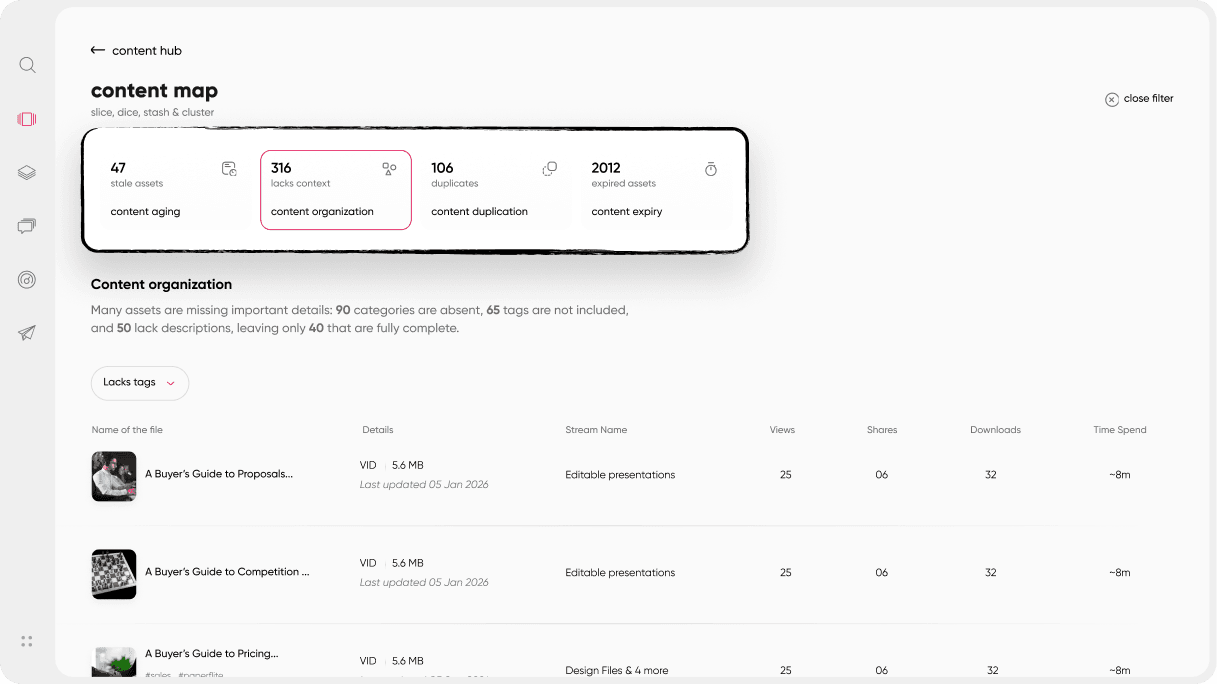
Establish a shared taxonomy before automating anything that touches content tagging or recommendations across teams. This is exactly where the conflict from the previous section originates, and building the taxonomy first means the automation that comes after it actually has something reliable to run on.
Save cross-team, judgment-heavy workflows for last, things like content review triggers or deal-risk alerts routed to multiple teams at once. These depend on the shared taxonomy already being in place and trusted. Attempting them first is how a rollout ends up automating disagreement instead of automating work. Revenue Enablement vs Sales Enablement: Understanding the Key Differences is a useful read for mapping out which team should own each stage of this sequence.
A Worked Example: One Deal, Three Teams' Workflows
Take one mid-funnel deal and walk it through both states.
In the first state, workflows were built in isolation. Marketing's retirement workflow flags an old case study as outdated and removes it from marketing-facing channels. Enablement's recommendation workflow, built separately and pulling from a different source of truth, doesn't know the asset was retired, so it keeps surfacing it to reps as a top recommendation. A rep pulls it up mid-call, notices halfway through that the numbers look stale, and has to awkwardly pivot mid-conversation while searching for something current. The correction costs real time in a moment where time matters most, and it costs some credibility with the prospect too.
In the second state, both workflows are built on the same shared taxonomy and the same source of truth for asset status. When marketing retires the case study, the recommendation workflow sees the same status change instantly, because there's only one place that status lives. The rep never sees the outdated asset in the first place. No mid-call correction, no awkward pivot, no wasted moment.
The mechanism isn't complicated. What makes the difference is that the underlying data has one home instead of two separate ones. 13 Most Important Types of Sales Enablement Content covers the asset types most commonly caught in exactly this kind of cross-team mismatch.
The Three Failure Modes, Explained
Most guidance on what breaks sales workflows names a handful of causes in a single sentence, rigid logic, duplicated approvals, unclear ownership, and moves on. Each deserves more than that.
Rigid logic breaks quietly. A workflow built and tested for one deal type or segment works fine until it's applied to a different one, a larger deal, a different region, a different buying process, and the rules that made sense for the original case stop applying. Nobody notices immediately, because the workflow still runs. It just starts producing results that don't fit the situation, and by the time a rep flags it, the workflow may have misfired on several deals already.
Unclear ownership is a slower failure. A workflow works fine at launch, then something upstream changes, a product line gets renamed, a new buyer persona gets added, and the workflow needs an update. Nobody is quite sure whose job that update is, since the workflow touches sales, marketing, and enablement all at once. It doesn't break outright. It just quietly goes stale, a little more wrong every month, until someone finally traces a bad recommendation back to a rule that hasn't been touched in a year.
Duplicated approvals waste time without anyone intending it. The same piece of content or the same deal gets routed through two teams' separate review workflows, each built without visibility into the other, and what should be one approval step becomes two sequential ones. Nobody designed it that way on purpose. It's what happens when workflows get built by different teams solving what looks, from inside each team, like a single-team problem. Sales Enablement Collateral touches on what a properly governed approval process looks like when it's built with more than one team's needs in mind from the start.
Where Shared Content Workflows Fit
Every failure mode in this piece traces back to the same root cause: workflows built by one team without visibility into what another team's workflow expects. The fix isn't more automation. It's making sure the automation different teams build actually shares the same underlying data.
This is specifically the gap Paperflite's content governance closes. Marketing and enablement work from a single shared taxonomy for tagging, stages, and content status, so a retirement decision made in one place is instantly visible everywhere else, rather than living in two systems that quietly drift apart. Governance controls apply consistently across teams instead of each team running its own separate rules against the same content library. And engagement visibility at the asset level means any team can check whether their workflow's recommendations are actually landing correctly, not just whether the workflow technically ran.
This doesn't extend to CRM or pipeline workflow automation, that's a different discipline with different owners. What it solves is specifically the problem this piece has been building toward: content workflows across teams staying in sync instead of quietly drifting apart. 7 Must have Features of a Sales Enablement Tool lays out the fuller feature set this kind of governance typically sits inside.
If you want to see how content workflows stay in sync across teams, Paperflite's team can walk you through it.
Conclusion
Sales workflow automation rarely fails because a team didn't automate enough. It fails at the seams, the points where a rep's workflow, marketing's workflow, and enablement's workflow all touch the same content and quietly disagree about it. A shared taxonomy prevents most of this before it starts. Sequencing rollout so single-owner workflows come first and cross-team workflows come only after that taxonomy exists prevents the rest.
None of this requires automating less. It requires automating in an order that keeps teams' workflows talking to each other instead of past each other. A Beginner's Guide to Sales Enablement is a useful next read if you're connecting this back to the broader enablement picture.


